
Posts
Business Ops Managers know the struggle:
Every week, you’re handed scattered updates and it’s your job to turn them into a clear, structured plan. It takes hours, and it’s repetitive.
That’s why we built the Slashit App Dynamic AI Template.
With our “Generate Next Week’s Priorities” prompt, you can transform messy team updates into a crystal-clear priority list in seconds.
How it works:
- Input your Team Name
- Add Current Status / Wins
- Note Blockers & Challenges
AI then drafts:
✅ A structured list of weekly priorities
✅ Actionable items for each goal
✅ Deadlines mapped by day
It’s like having a productivity assistant for your weekly planning.
Watch the demo here → https://youtube.com/shorts/uap5hcJ60a8
Try Slashit App free → www.slashit.app
What do you think would this save you hours every week?
As a Business Operations Manager (or really anyone managing tasks), one of the most repetitive things is sending follow-ups with deadlines.
How it usually goes:
- Type from scratch
- Or copy an old message
- Edit, resend, repeat
It wastes time and often makes communication inconsistent.
That’s where Slashit Snippets shine.
You create your ideal follow-up message once, assign it a shortcut (like /taskfollowup), and reuse it across Slack, Notion, or email instantly.
Watch the demo here → https://youtube.com/shorts/otmLD13kO_Y
Benefits:
✅ Save time on repeat tasks
✅ Keep your messaging consistent
✅ Never forget to include deadlines
Try Slashit free → www.slashit.app
Would love to hear how you all currently handle recurring messages do you still type them manually?
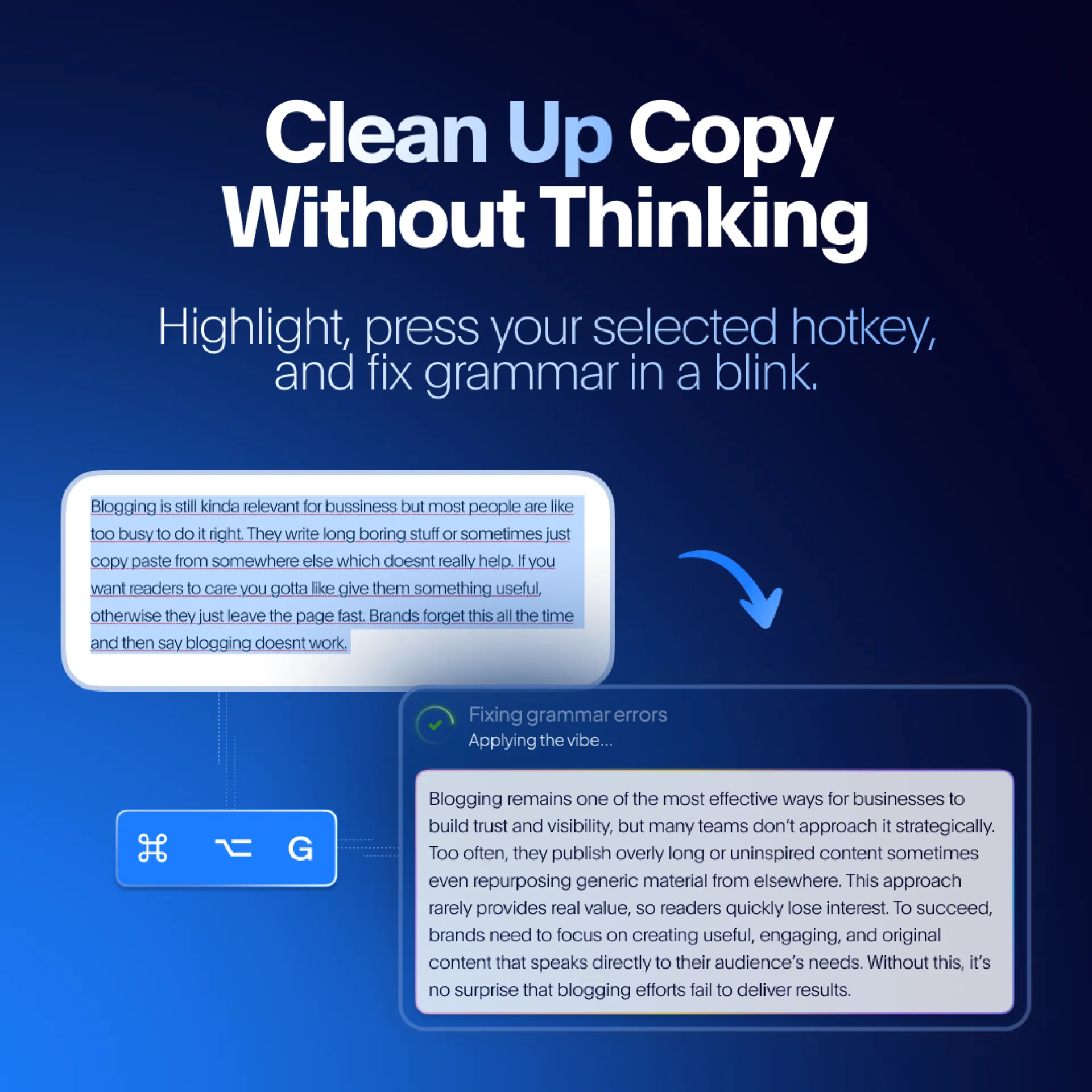
Every team has the same bottleneck: polishing copy.
Whether it’s Slack updates, client emails, or internal notes we spend too much time editing, re-reading, and fixing grammar.
Slashit’s Magical feature solves this in seconds:
👉 Highlight the text you want fixed
👉 Press your hotkey
👉 Get instant clean, polished copy
No need to switch apps. No need to rethink. Just seamless editing built into your workflow.
Try Slashit App for free → www.slashit.app
Would love to hear what’s the one message you wish you could’ve polished faster last week?
Business Operations Managers spend countless hours typing and retyping internal process change announcements whether it’s an SOP update, workflow shift, or compliance change.
The pain point:
- Rewriting announcements from scratch
- Risk of errors with manual copy-paste
- Lost time in repetitive drafting
The Slashit App solution:
Dynamic Templates let you:
✅ Create a reusable structure once
✅ Fill placeholders (process name, date, contacts, links)
✅ Generate polished, ready-to-send announcements instantly
This isn’t just faster it makes internal communication consistent, professional, and scalable.
Would love to hear from Business Ops folks here: how do you currently manage process update announcements?
Watch the demo here → https://youtube.com/shorts/w7bP17VN5KM
Try Slashit App for free → www.slashit.app
We all know how much time disappears into repetitive typing and rewriting emails, Slack messages, onboarding notes, reports… it never ends.
That’s why we built Slashit App:
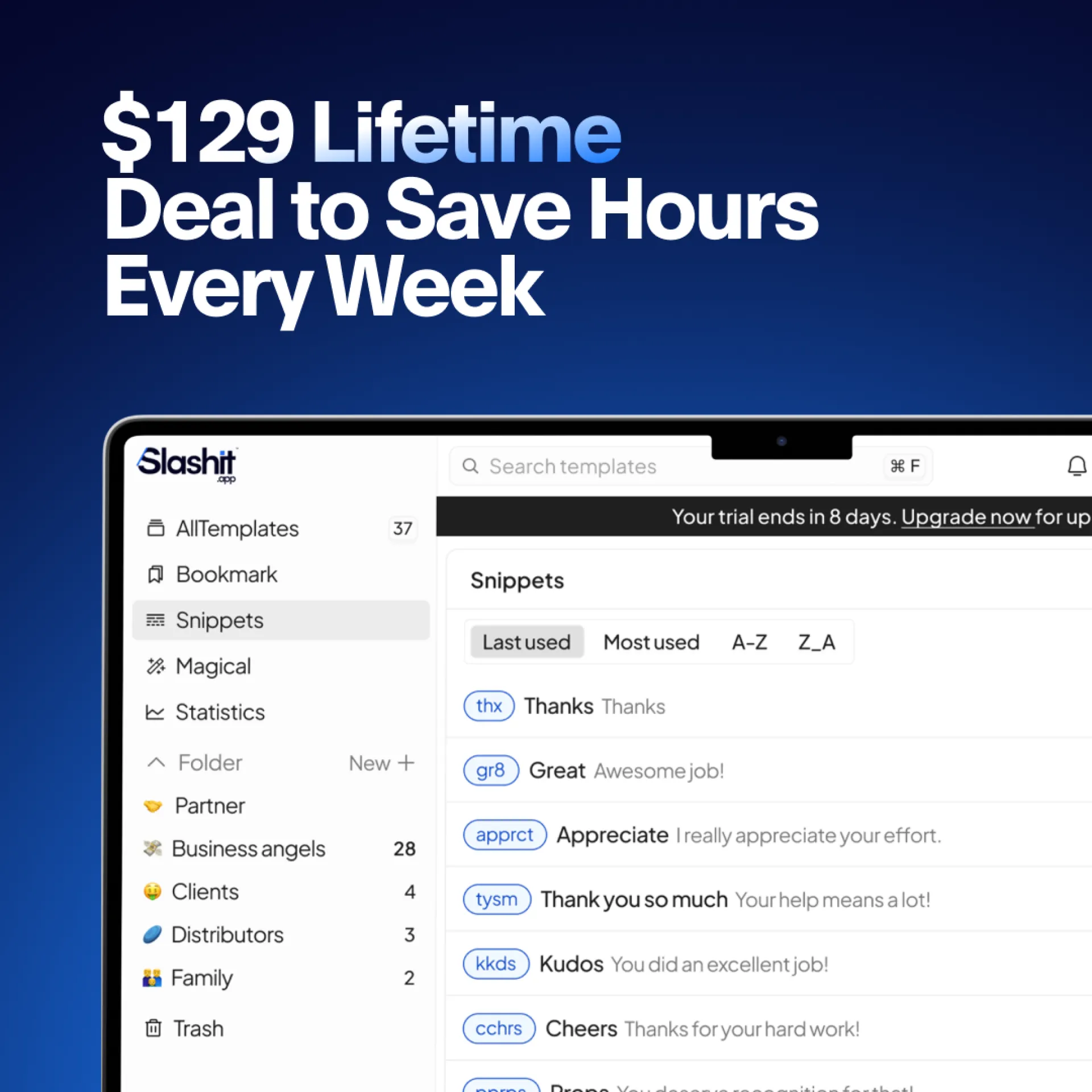
- Create reusable text shortcuts
- Build AI-powered templates for recurring messages
- Instantly rewrite text with one prompt + hotkey
- Premade text snippets for quick replay
Normally, productivity SaaS tools charge monthly. But right now, we’re offering a $129 Lifetime Deal. Pay once, keep it forever, and reclaim hours every week.
We’d love your feedback, especially on which Slashit App feature would save you the most time.
Try Slashit App for free → www.slashit.app
Writing SOP updates is often a balancing act move fast, but still be clear. The problem? Quick notes usually end up sounding rushed, unclear, or too informal to actually distribute across the team.
That’s why we built the Magical feature in Slashit App.
Here’s how it works:
- Write your draft in your own words (even rough).
- Highlight it.
- Press your hotkey.
- Instantly get a clear, structured, professional rewrite ready to share.
Example from the video demo:
- Input: “We changed the doc thing. Sales needs to get client info in the sheet first…”
- Output: “Effective immediately, Sales must complete the Client Info Sheet before Ops begins onboarding…”
It’s a small workflow improvement that saves hours of rework, reduces miscommunication, and ensures your team always gets clarity.
Curious to see it in action?
Watch the demo here → https://youtu.be/eBynpD42FhI
Try Slashit App for free → www.slashit.app
Would love to hear how other teams handle rushed SOP notes. Do you polish them manually, or let AI handle the heavy lifting?
#productivity #ops #AItools
As Business Operations Managers, we’re always tasked with keeping teams informed when processes change. But the reality? Writing those Slack/email announcements every single time is repetitive, time-consuming, and sometimes frustrating.
That’s why Slashit built the Dynamic AI Template – “Announce a Process Change” Generator.
Here’s how it works:
🔹 Input your Change Name, Affected Teams, Effective Date, Key Benefit
🔹 AI instantly drafts a polished announcement tailored for Slack or email
🔹 Share with your teams without ever starting from scratch
Benefits:
✔️ Clarity across departments
✔️ Time saved from repetitive writing
✔️ Consistent tone, every update
Watch the demo here: https://youtube.com/shorts/cPT2la-DnhE
Try Slashit App for free → www.slashit.app
Would love to hear how other Business Ops Managers handle internal process communications what’s your current workflow?
How many times have you retyped the same email this week? Probably more than you realize.
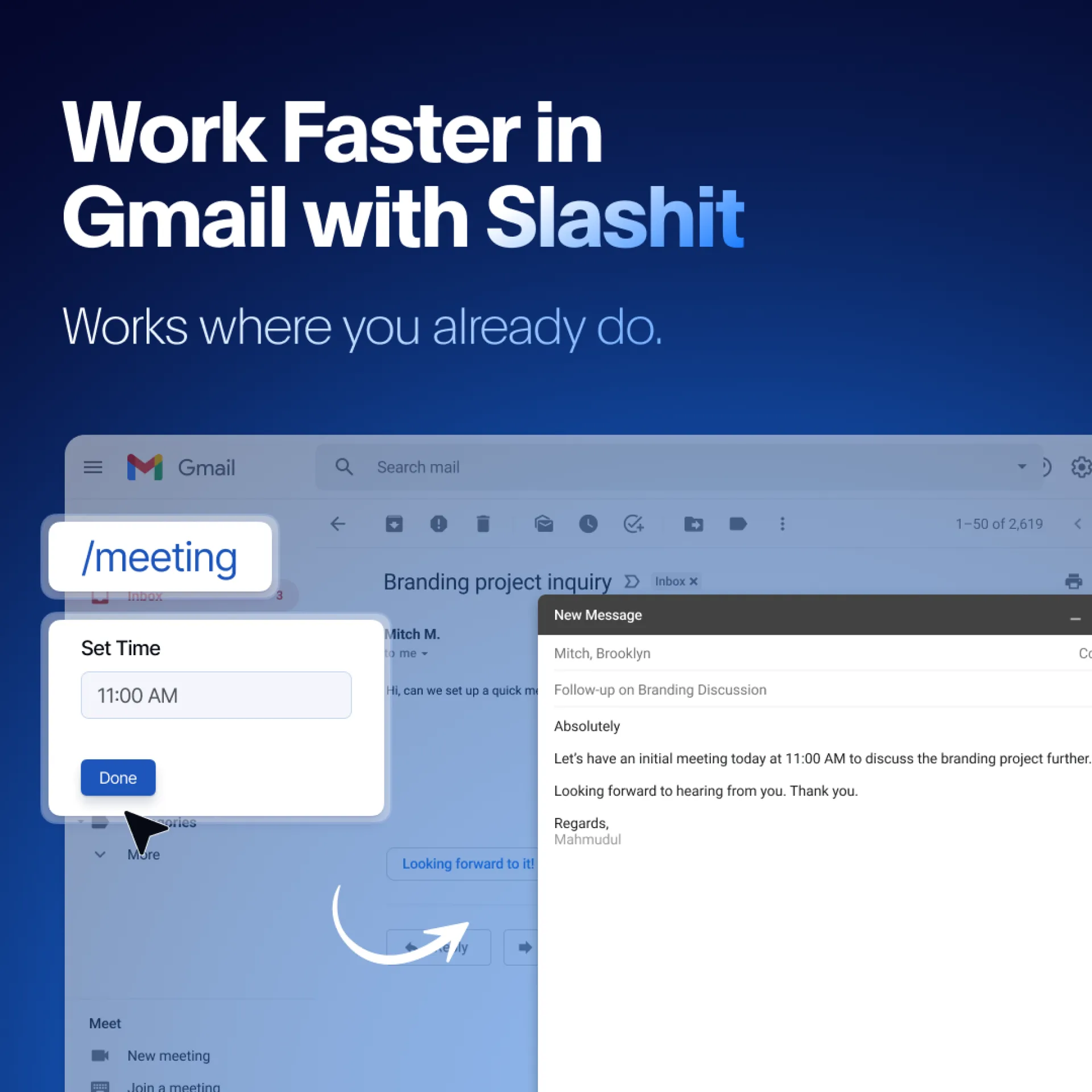
Slashit App is designed to solve exactly that. With Dynamic Templates, you can:
- Save your most-used email structures
- Drop them into Gmail with a simple shortcut
- Personalize on the fly without losing speed
The result → faster communication, more consistency, and less mental fatigue.
Perfect for:
🔹 Business Operations Managers
🔹 Customer Success teams
🔹 Founders juggling multiple conversations daily
We’d love your feedback how do you currently handle repetitive emails?
We built Slashit App to eliminate one of the most frustrating time drains in business operations: rewriting the same message repeatedly.
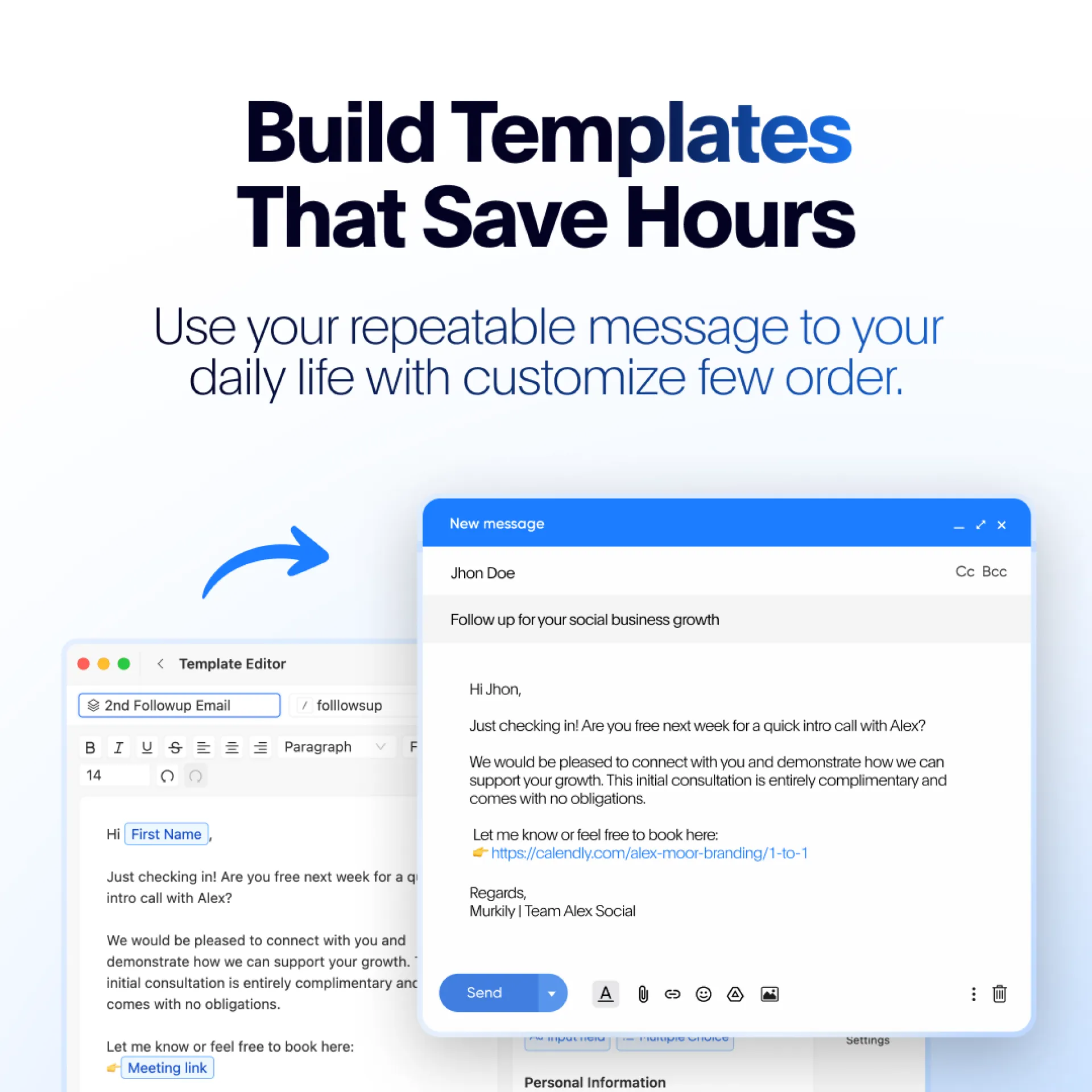
With our Dynamic Template feature, you can:
- Turn repeatable updates, emails, and notes into reusable templates
- Add placeholders for custom details
- Trigger your polished draft instantly with a shortcut
Instead of starting from scratch every time, you just fill in a few variables and Slashit does the rest. It’s like having your own time-saving assistant built into your daily workflow.
If you’re a Business Operations Manager, this can save hours every week.
Try Slashit App → www.slashit.app
Would love to hear how you’d use this for your own workflows!
As professionals, we spend way too much time polishing internal or client update emails. Slashit Magical changes that.
Simply select any raw email text, press your designated hotkey, and instantly convert it into a concise, professional, executive-ready message. Perfect for Business Operations Managers, team leads, or anyone managing high-volume communication.
Save hours of rewriting and impress your team or clients every time.
Try Slashit App for free → www.slashit.app
👉 Watch how it works: https://youtube.com/shorts/nSy4RgJzxTM