Install Huzzler App
Install our app for a better experience and quick access to Huzzler.

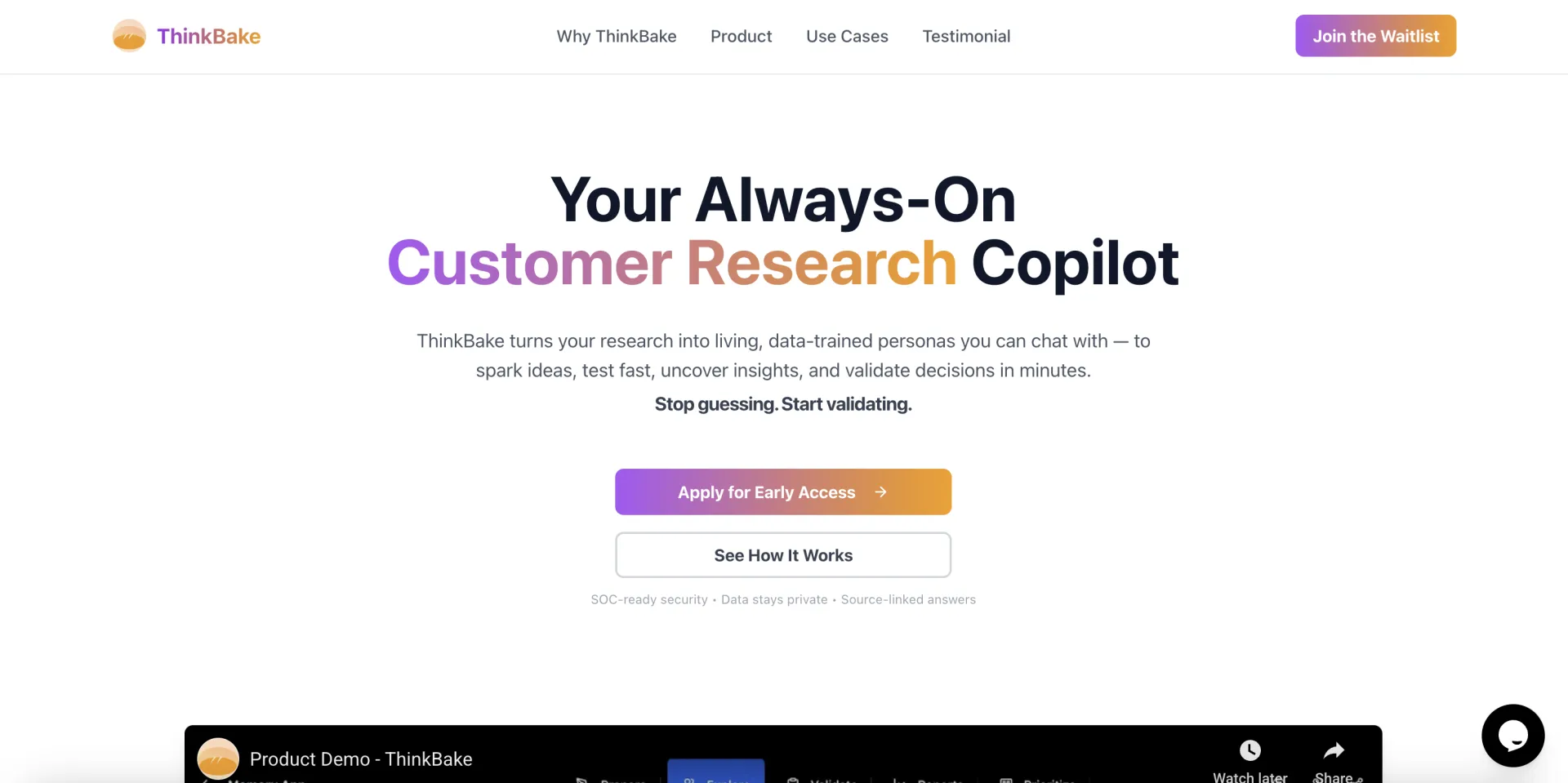
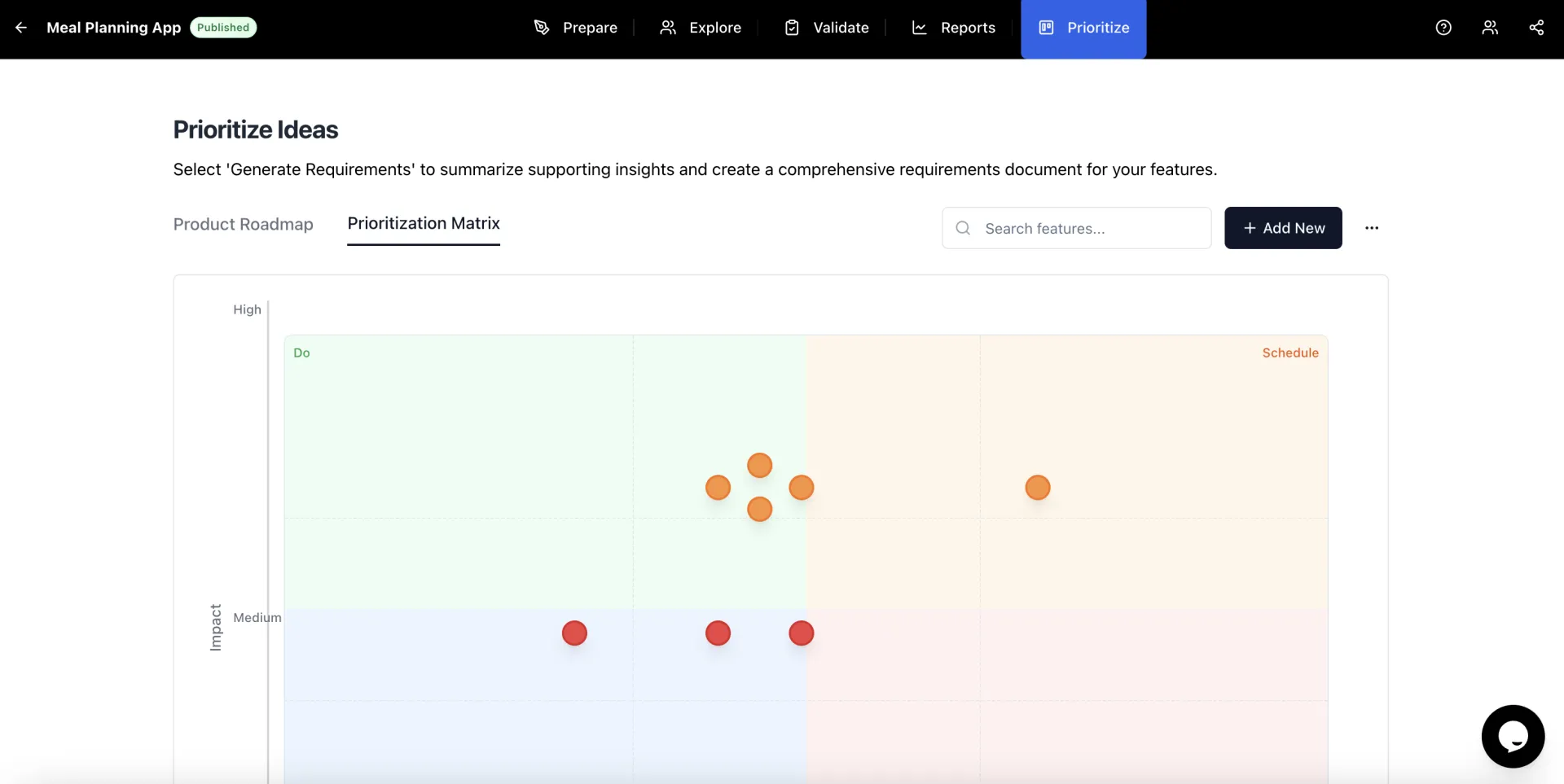
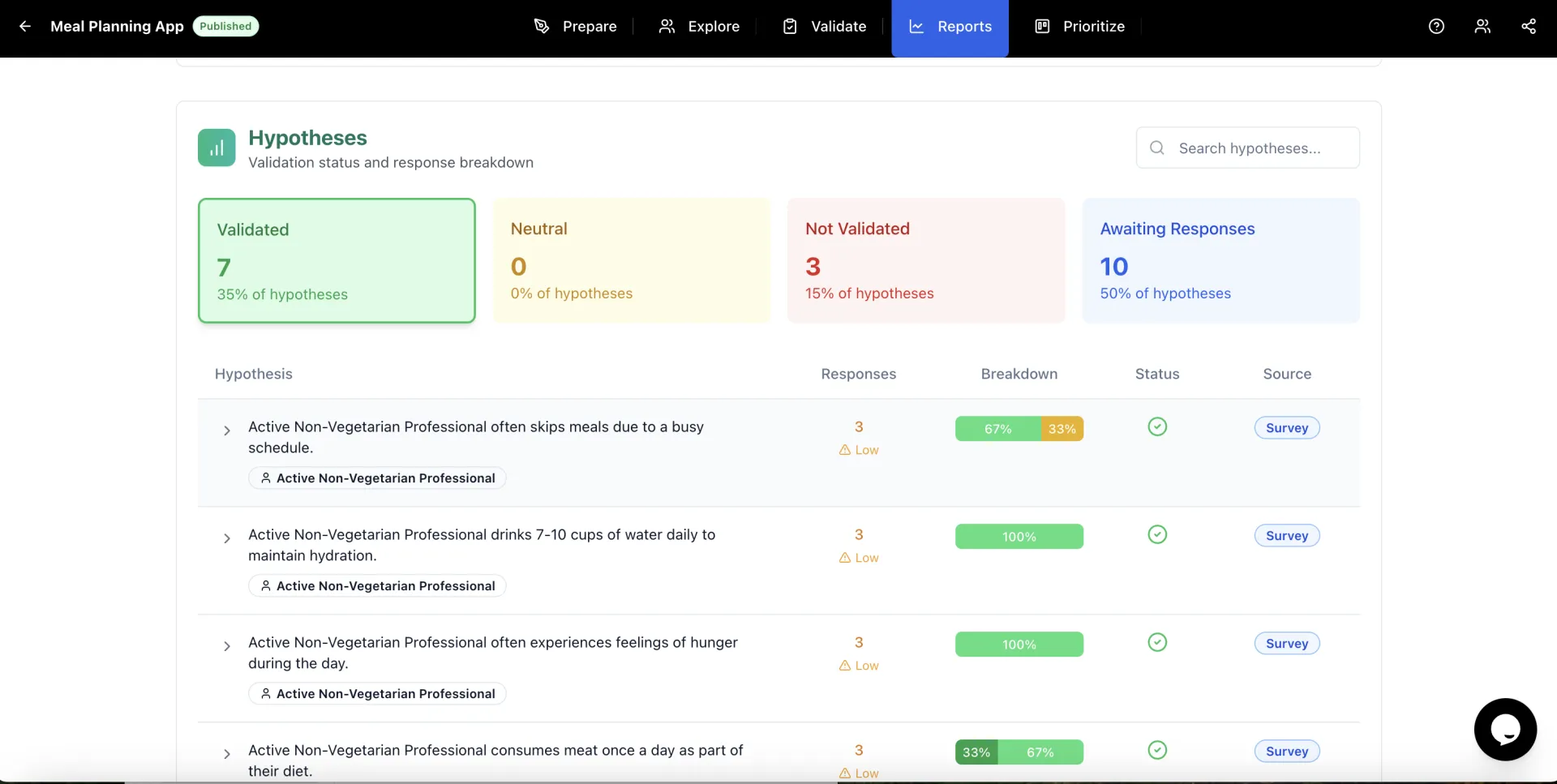
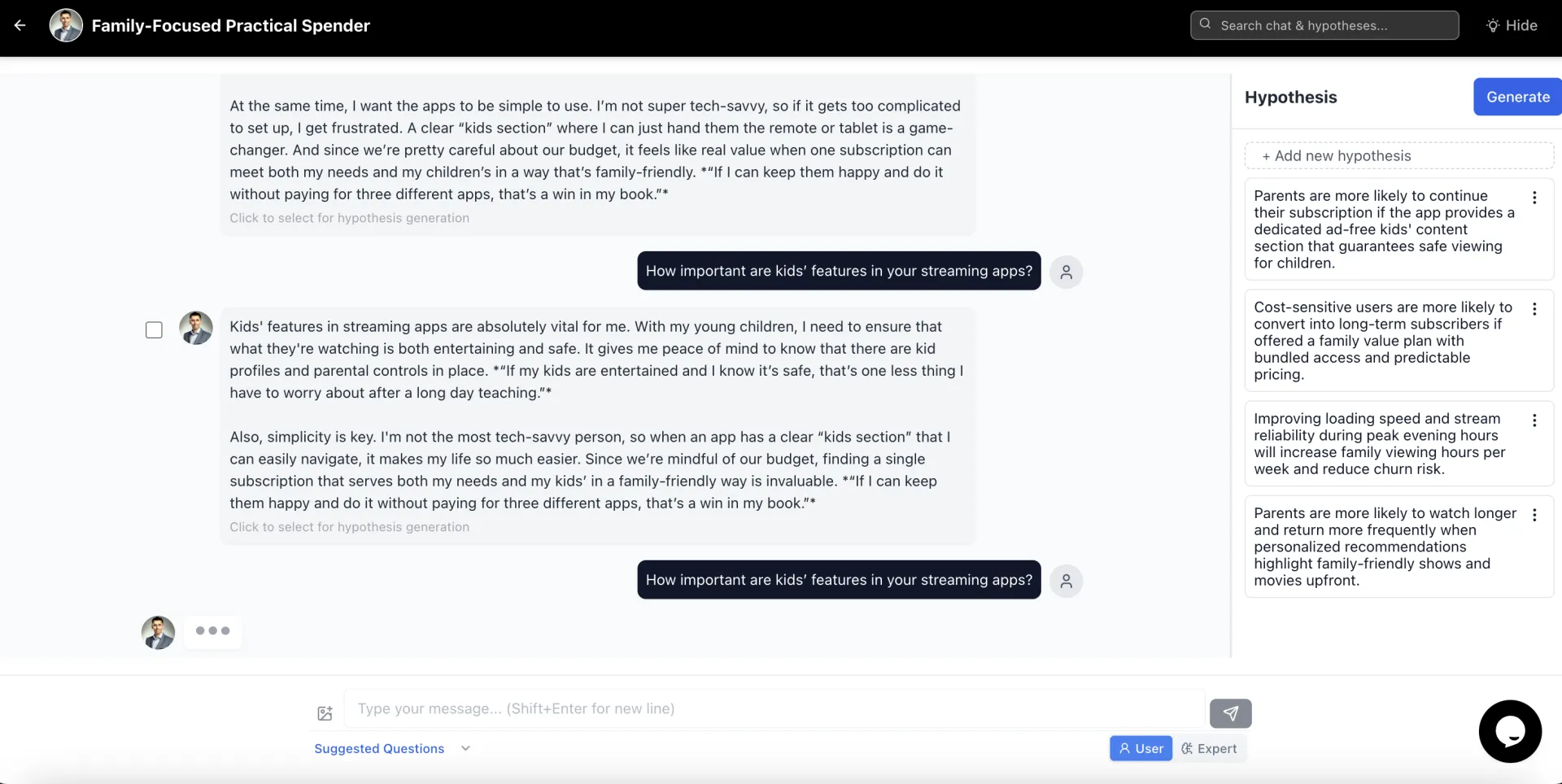
ThinkBake transforms static research into living, data-trained personas you can chat with — so your team can spark better ideas, test them instantly, discover actionable insights, and validate product decisions in minutes. Stop guessing. Start validating.
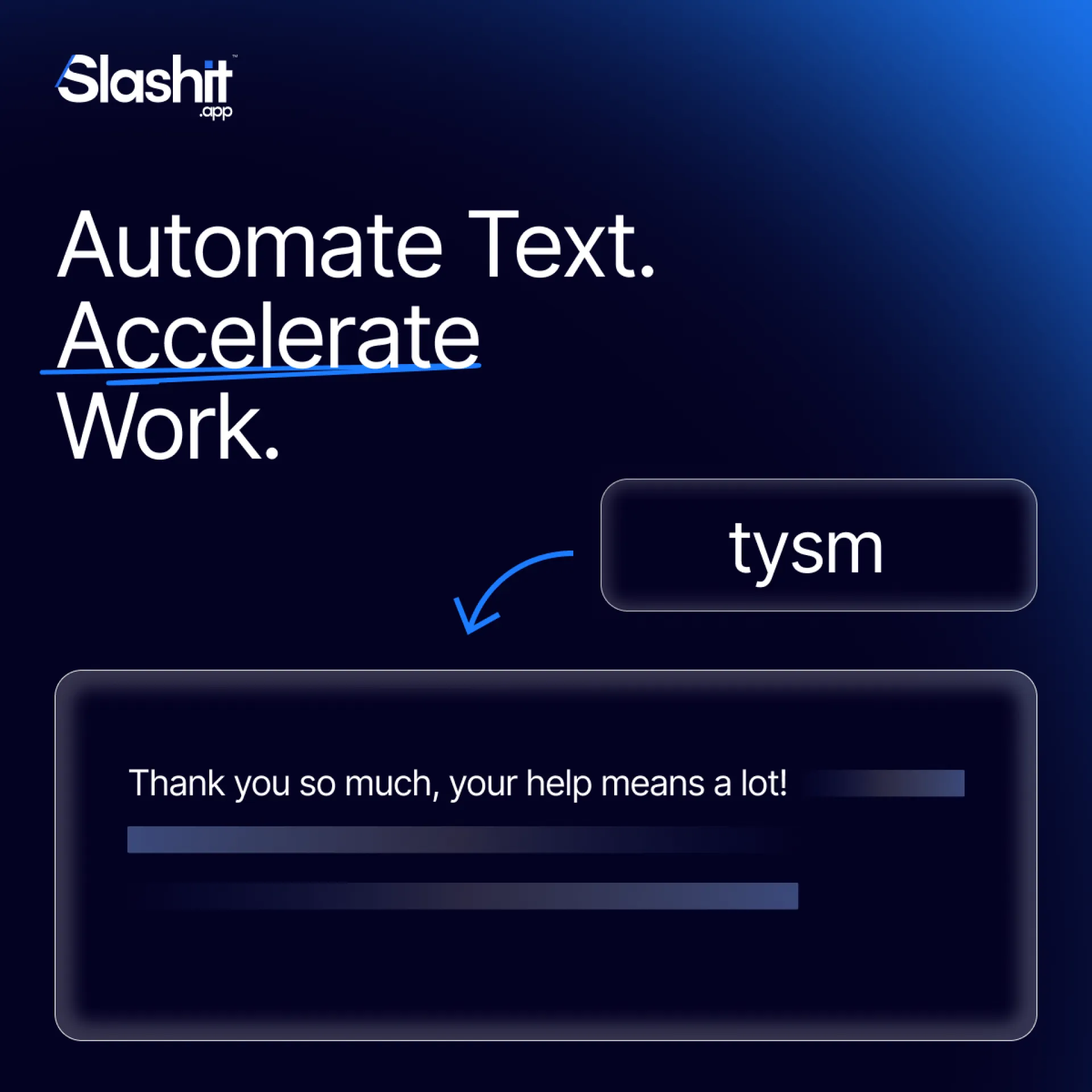
We all repeat ourselves more than we realize.
Same intros. Same updates. Same “quick notes.”
But every small repetition adds up to hours every week.
That’s what Slashit’s Snippet feature was built to solve.
You can store your most-used lines, replies, or templates then call them up instantly anywhere you work.
👉 No need to copy-paste.
👉 No switching between docs.
👉 No wasted time.
It’s a small shift that compounds into big productivity.
Try it once, and you’ll wonder how you ever worked without it.
Do you have a line you’ve typed more than ten times this week?
Try Slashit free → www.slashit.app
#Productivity #Automation #Workflow #slashitapp

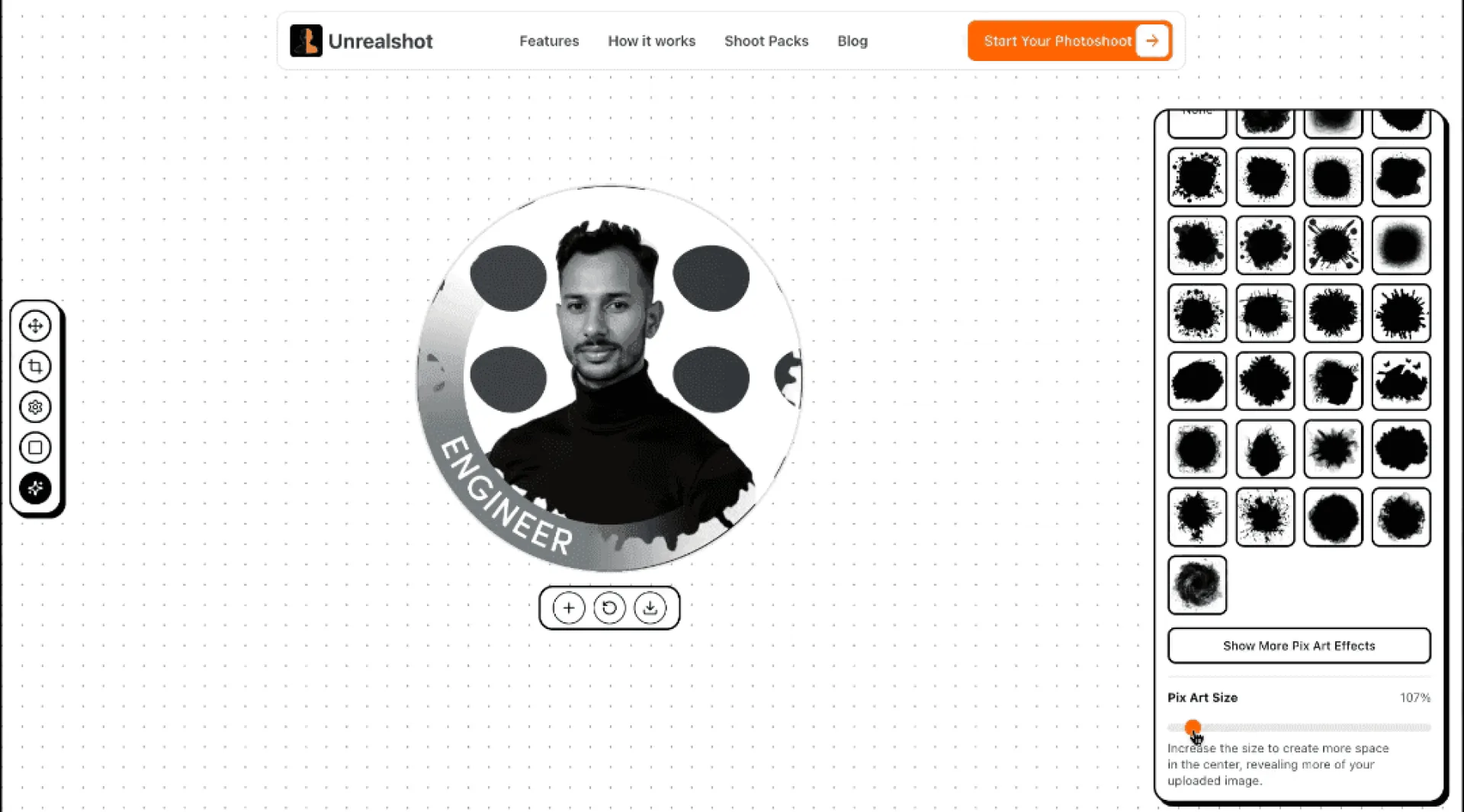
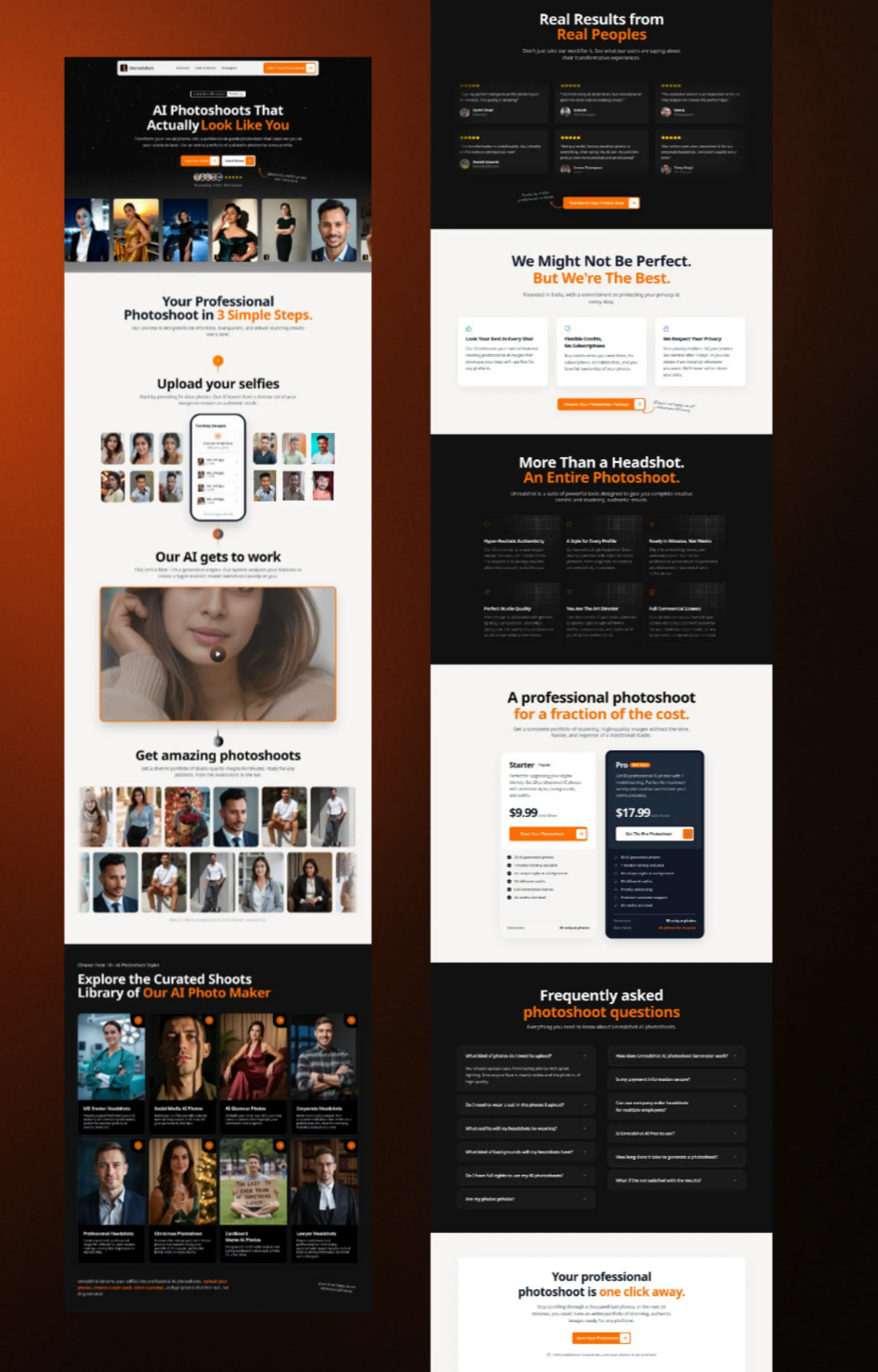
I built Unrealshot AI when I moved from being a blogger to actually building things. It was my first real project, a rough learning experiment. But that same "learning project" now pays my bills.
Back then, the UI and UX were all over the place, like a puzzle patched together.
20 days ago, I decided to rebuild everything - design, UX, SEO, the whole system. Yesterday, I finally pushed the new version live. It looks insane now.
Also dropped a fun free tool - PFP Maker. Go make your profile look better than ever:

Turn every Stripe payment into automated revenue growth in under 60 seconds
Hey 👋
We just launched triggla - the email automation platform that finally makes customer follow-up effortless for Stripe businesses.
The Problem We Solved
Most businesses completely ghost their customers after purchase. No welcome emails, no upsells, no nurturing. You're literally leaving 15-25% revenue on the table because setting up email automation is a nightmare of ESPs, Zapier workflows, and technical headaches.
What Makes triggla Different
✅ 60-second setup - Connect Stripe, pick a template, done
✅ Native email system - No ESP or Zapier required
✅ Pre-built sequences - Welcome, upsell, nurture, review templates ready to go
✅ Product-based automation - Each product triggers its own sequence
✅ 98% deliverability - Built-in authentication and professional infrastructure
✅ Set and forget - Works automatically forever once activated
Perfect For
🎯 SaaS founders wanting better onboarding
🎯 Digital creators needing automated upsells
🎯 Ecommerce stores driving repeat purchases
🎯 Solo entrepreneurs who want pro automation without complexity
Early Results
Beta users are seeing 15-25% revenue increases from automated customer nurturing, turning one-time buyers into loyal repeat customers.
Ready to automate your customer journey? Check out triggla and stop leaving money on the table!
What do you think? Have you struggled with email automation for your Stripe business? 👇
It’s not meetings or strategy that drain your time it’s the small, repetitive actions you don’t notice.
Typing the same update.
Rewriting the same client message.
Copying content from old notes.
Slashit App helps you escape that loop.
It’s built for professionals who communicate daily with clients, teams, or customers.
- Save your best lines as reusable snippets.
- Create dynamic templates that autofill details.
- Trigger replies instantly with hotkeys.
The result? Fewer manual rewrites, faster replies, more focus.
Work doesn’t feel like groundhog day anymore.
What’s the one message you rewrite every day?
Try Slashit free → www.slashit.app
#Productivity #CustomerSupport #SlashitApp #Workflow

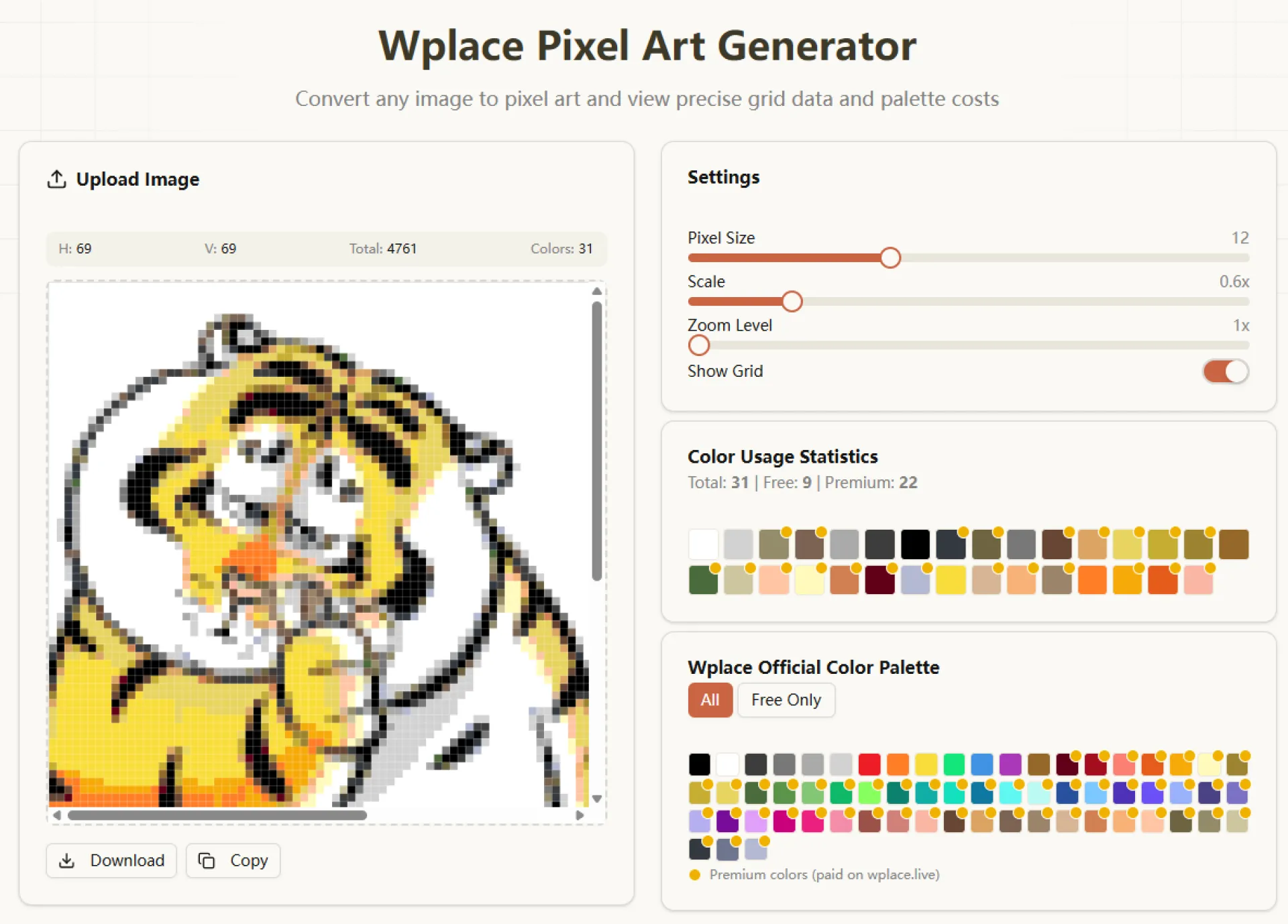
Welcome to Wplace Art, your premier destination for transforming ordinary images into extraordinary pixel art masterpieces. Our powerful Wplace Pixel converter combines cutting-edge technology with intuitive design, making it easy to create stunning retro-style artwork perfect for games, social media, and personal projects.
Ever freeze mid-reply while a client waits? It happens to the best of us. That pause costs time and breaks momentum.
Slashit App solves it with simple tools aimed at people who write a lot: saved snippets, dynamic templates, and shortcuts that autofill client names, dates, and details. Build once, reuse everywhere. When you’re stuck, trigger a template and tweak only what’s new.
Why teams like it:
- Faster replies with consistent tone
- Less context switching and fewer drafts
- Easier handoff across team members
Tell us: where do you lose the most time when responding to clients?
#Productivity #CustomerSupport #slashitapp

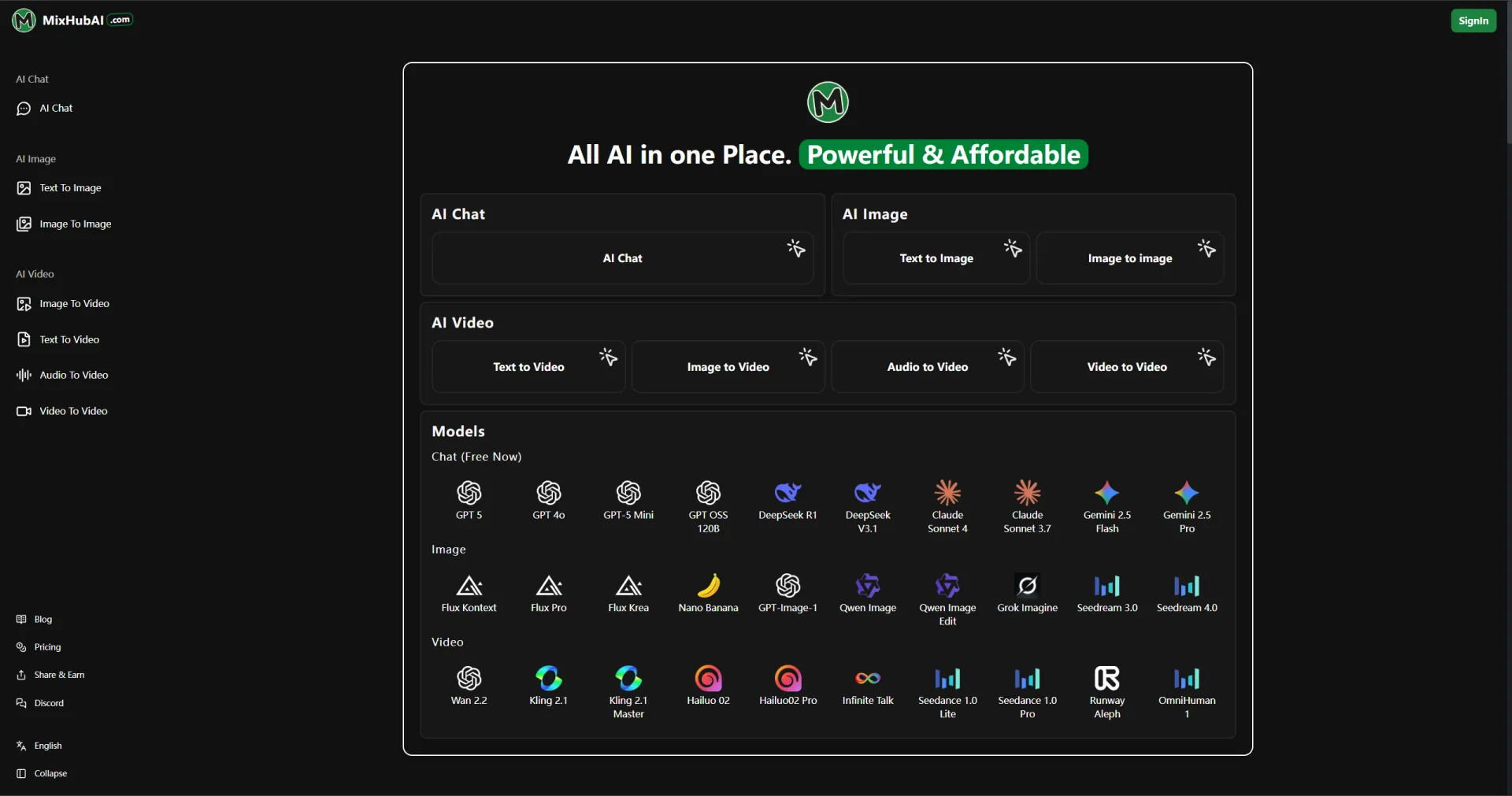
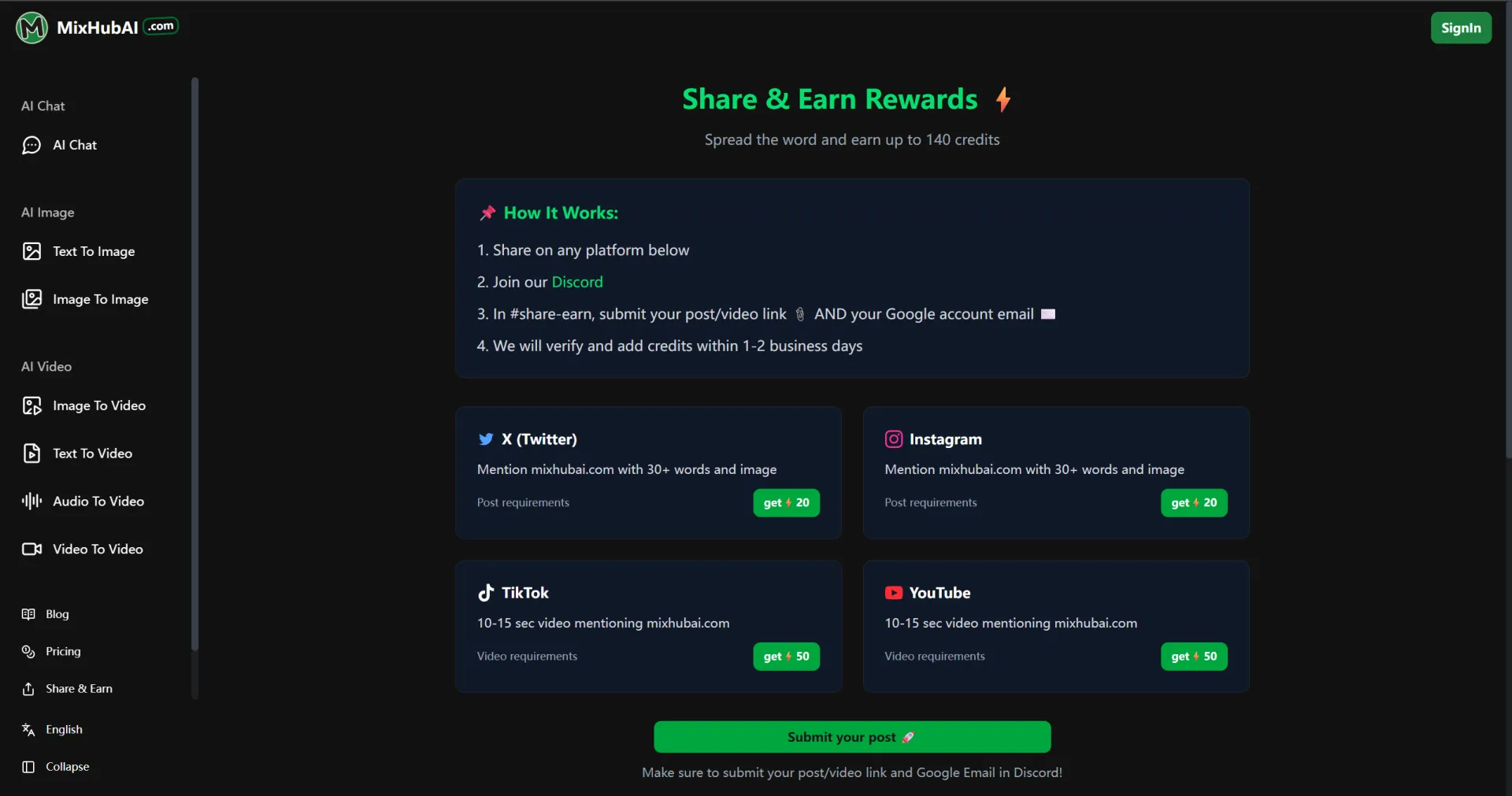
If you're tired of managing subscriptions to ChatGPT, Midjourney, Runway, and a dozen other AI platforms, MixHub AI has a better solution: one account, all the top models.
What You Get:
🎥 Video Generation – Runway, Sora, Kling, Pika, and more. Make videos from text, images, or other videos.
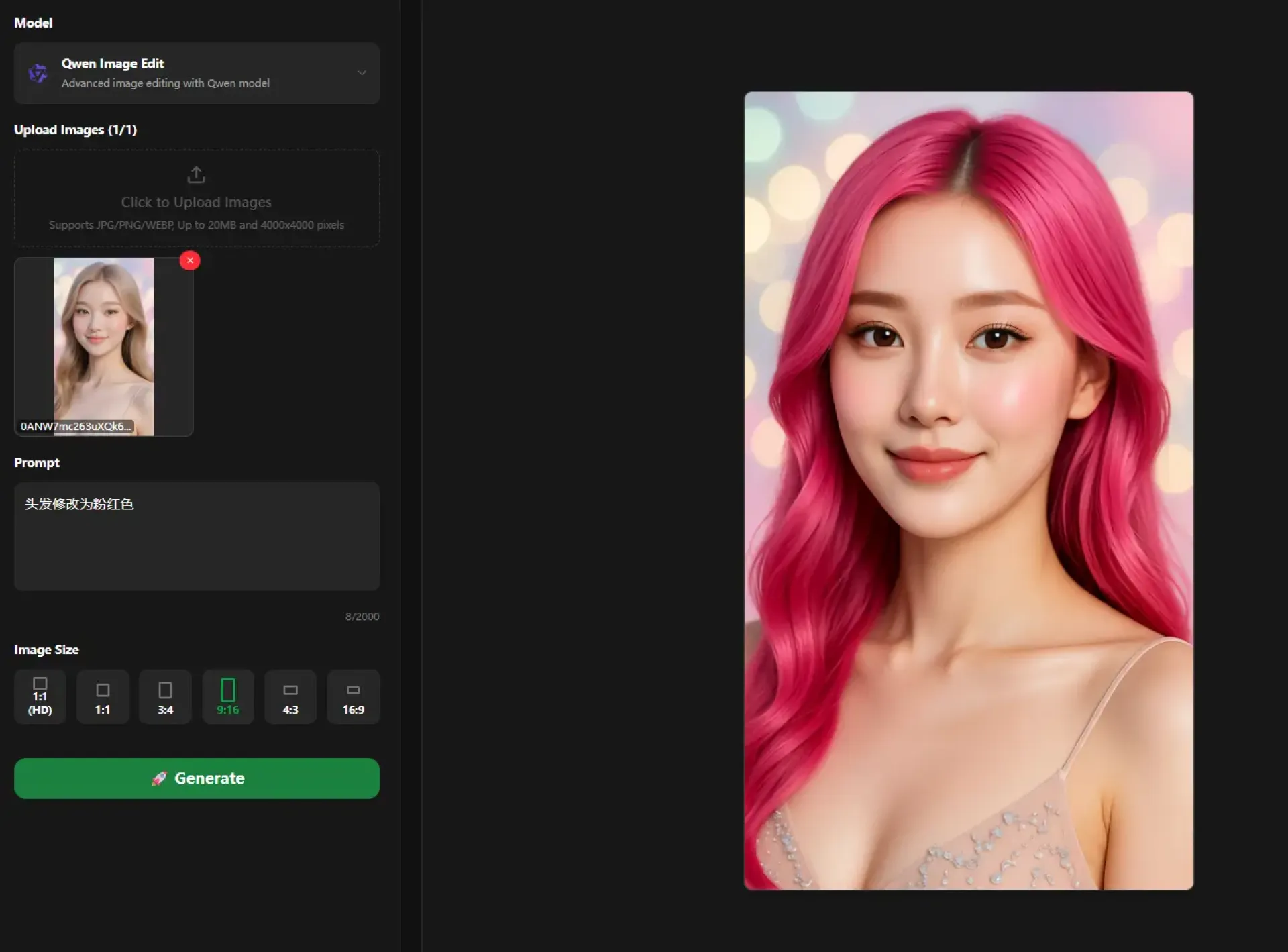
🖼️ Image Creation – Flux, Grok Imagine, and other leading models. Quick, high-quality results.
💬 free AI Chat – GPT-5, Claude, Gemini, DeepSeek. For writing, coding, or just bouncing ideas around.
Why It Works:
Actually simple to use. No tutorials needed.
Fast cloud processing. No waiting around.
Works on your phone or laptop. Nothing to install.
Your creations are yours. Use them commercially, no watermarks.
How It Works:
Sign up → Pick a model → Type what you want → Generate
That's it.
MixHub AI brings the best AI tools together so you can focus on creating instead of account management.
Try it out and see what you can make.

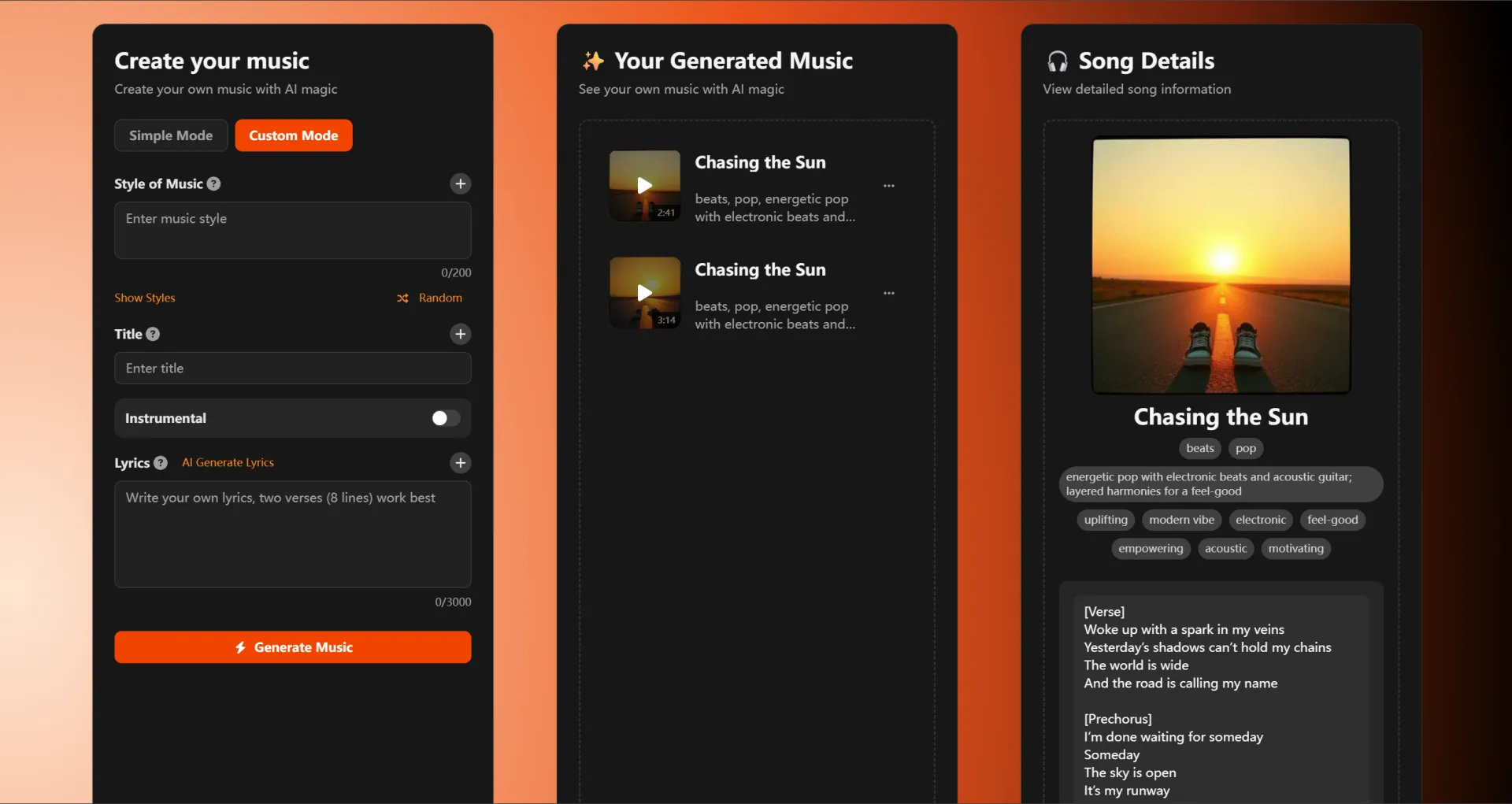
Never studied music before, but today I actually made a complete song! VibeMusic is super easy to use: choose style → set mood → click generate, that's it. The music quality exceeded my expectations - friends thought I hired a professional producer 😄
The real game-changer? Writing smarter.
Slashit App helps teams communicate faster without burnout
⚡ Snippets for saved replies
⚙️ Templates for structured updates
💡 Magical for rewriting tone instantly
Smart tools, not more effort.
How do you speed up your daily writing?
Try Slashit free → http://slashit.app
#productivity #aiwriting #slashitapp #worksmarternotharder

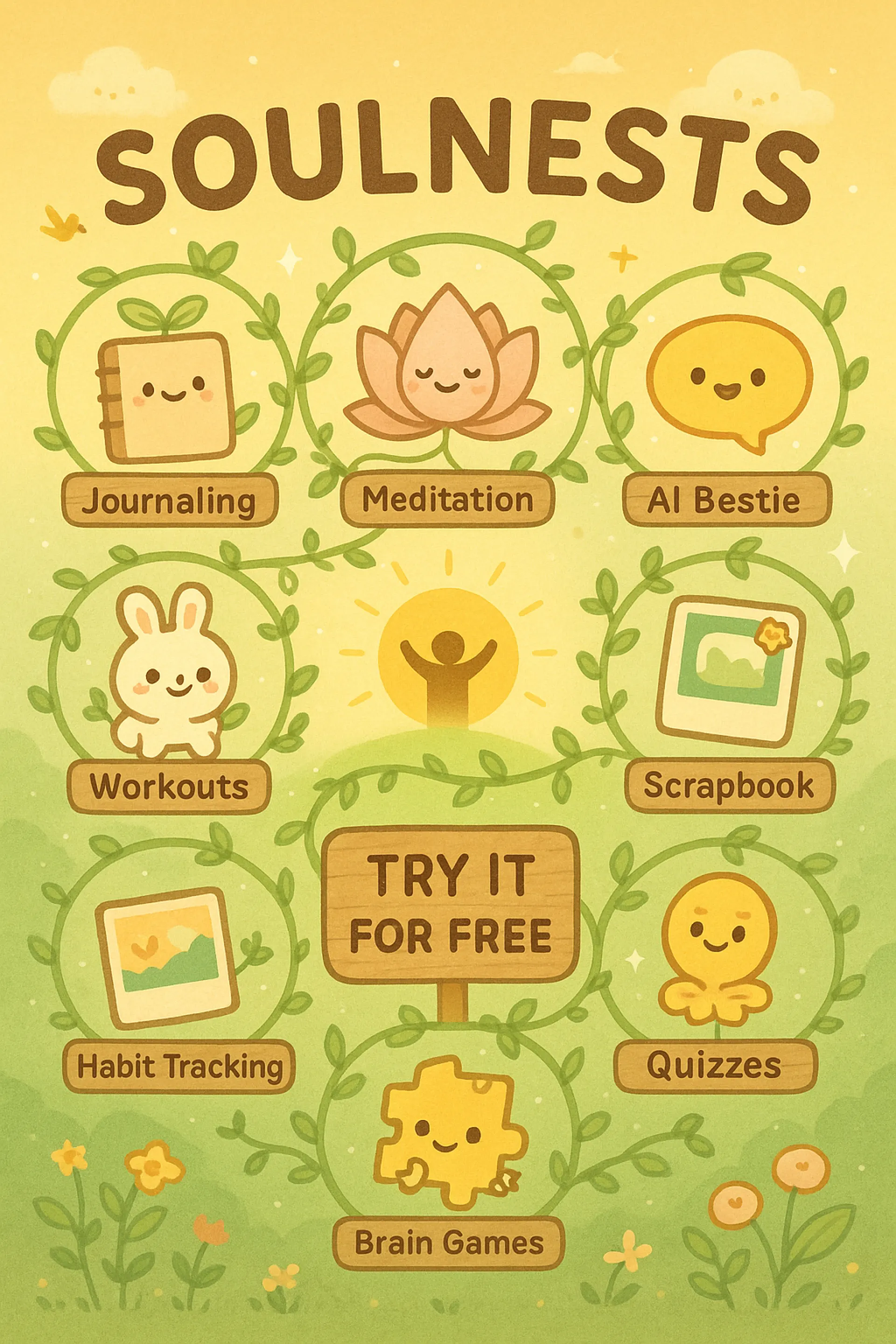
From loss to purpose, Soulnest gave me purpose to help others. Soulnests is an all in one mental health and wellness platform.

Ghostface AI is a professional AI platform that transforms photos into haunting apparitions, generates supernatural visuals from text prompts, and creates eerie ghost voices—designed for horror creators, filmmakers, podcasters, and social content makers.
Why we built it
High-quality horror content is hard to produce quickly. We wanted a fast, secure, and accessible way to create cinematic ghost imagery and supernatural audio without a big budget or complex tools.
What you can do
- Image Generator: Turn any description into Ghostface‑style images.
- Image Transform: Upload a photo and add terrifying elements while preserving your original look.
- Poster Generator: Design horror movie posters and social covers in minutes.
- Voice Generator: Create eerie ghost voices for trailers, podcasts, and stories.
- Story Generator: Turn ideas into horror scripts and narratives.
- Video Generator: Animate static images into short, shareable spooky clips.
Key features
- Professional horror quality: High‑resolution, production‑ready outputs.
- Lightning fast: Generate visuals and voices in seconds.
- Secure & private: Enterprise‑grade encryption; images aren’t stored on our servers.
- Accessible: Free options and “share to unlock” features to get you started.
Who it’s for
- Filmmakers and game studios needing concept art and mood boards
- YouTubers/TikTok creators seeking viral horror visuals
- Podcasters and audio storytellers crafting supernatural soundscapes
- Brands running Halloween campaigns and experiential activations
What’s live today
All tools above are available now. Check the gallery and our step‑by‑step guide to create authentic Ghostface voices.
Call to action
Try it now at www.ghostfaceai.space and tell us what you’d like to see next—new voice styles, poster templates, or pro workflows.
Thanks
We’d love your feedback and upvotes. Happy haunting!
[Maker Comment (to post under “Discussion”)]
Thanks for checking out Ghostface AI! We’re here all day to answer questions and share tips for getting cinematic results. If you post your first image or voice clip today, we’ll provide personalized prompt advice. Roadmap includes: more voice presets, advanced poster layouts, batch video animations, and API access. Try it at https://www.ghostfaceai.space/

I built this using no code ai tools, being a no code guy.

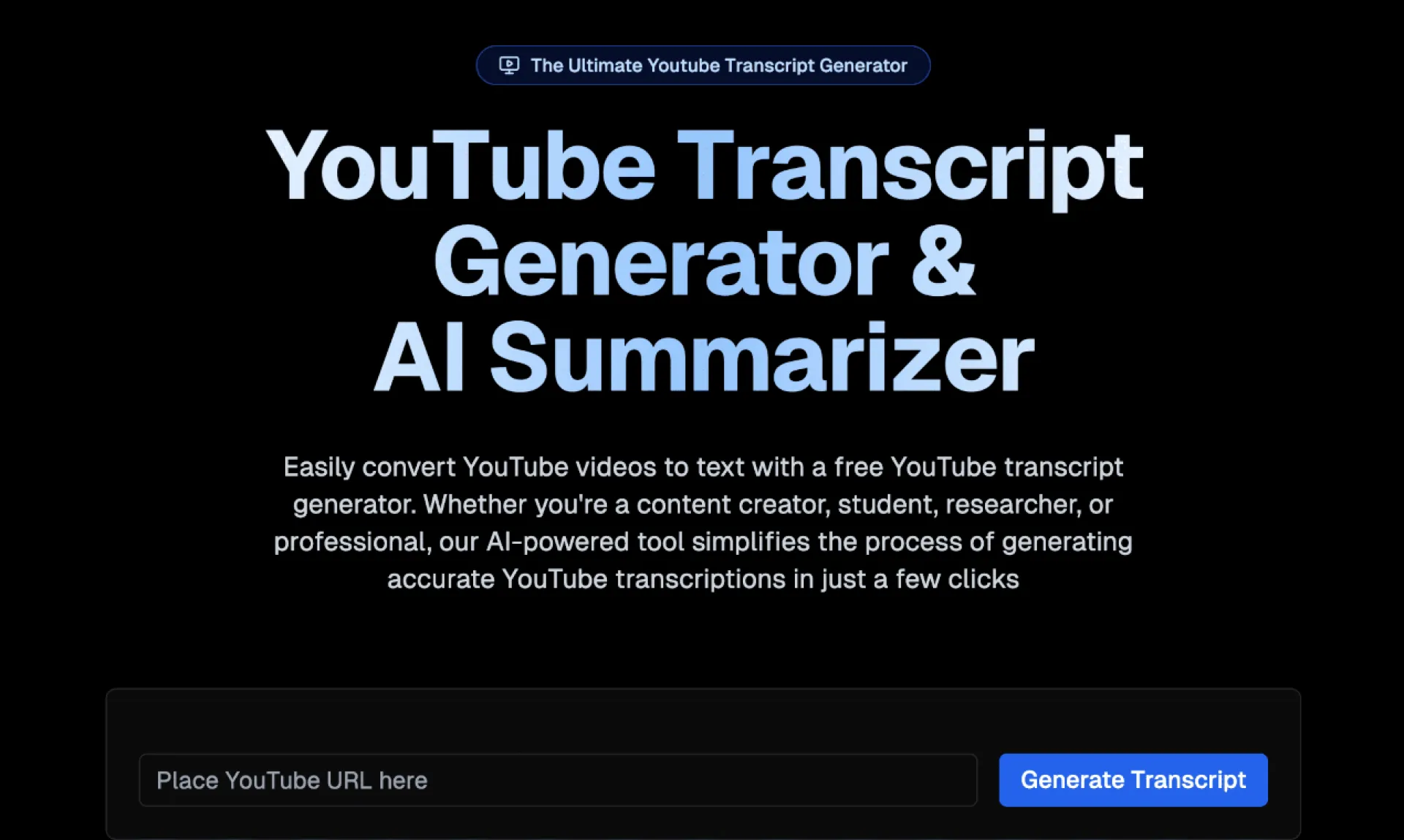
YouTube Transcript Generator is a powerful tool that allows users to convert YouTube videos into text instantly. This AI-powered application offers a range of features designed to enhance productivity and accessibility. Users can generate transcripts with high accuracy, download them as text files, and copy them to the clipboard. The tool also supports searching within transcripts and provides AI-powered summarization to quickly grasp key points from videos.

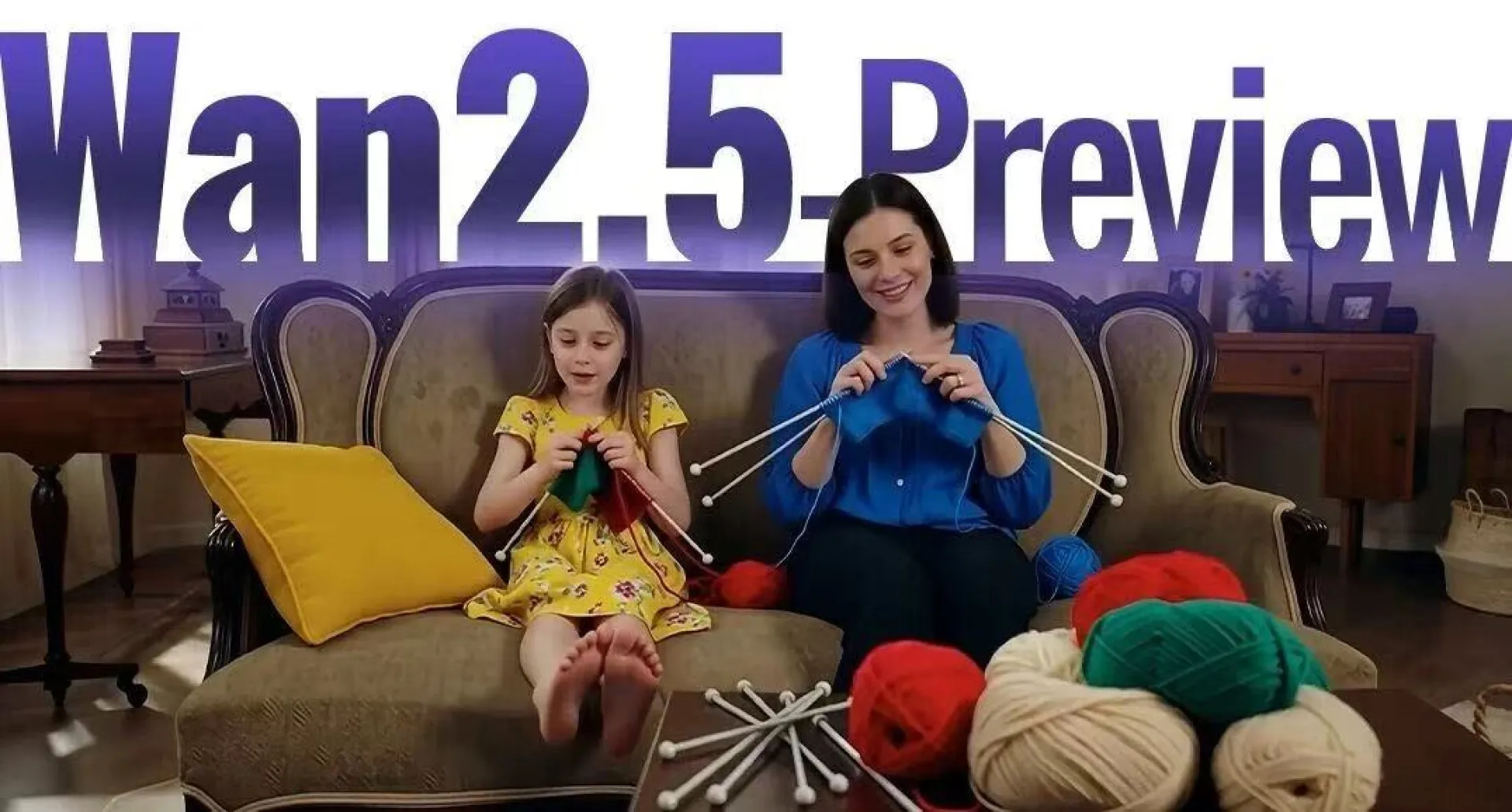
I’ve been checking out Wan 2.5 recently and noticed it can also generate videos with audio sync. I’ve used Veo3 before, and what really impressed me was how well it handled lip-sync and kept the audio and visuals consistent.
Now I’m wondering — could Wan 2.5 actually serve as a replacement for Veo3 in real use cases? Especially when it comes to matching dialogue, background sounds, and the overall flow of the video. If it can deliver results that feel just as smooth (or even better), that would be a game changer for a lot of people.
Has anyone here tried Wan 2.5 yet? How does it compare to Veo3 when it comes to audio-video sync?

Business networking has evolved. People no longer want to keep paper cards they might lose, throw away, or forget to use. Instead, they prefer fast, clickable, and modern ways to connect. That’s where digital business cards come in. They’re not just a replacement for traditional business cards—they’re a smarter, more flexible tool for branding, networking, and lead generation.
If you’re an entrepreneur, freelancer, consultant, salesperson, or professional of any kind, here are five convincing reasons why having a vCard is no longer optional.
1. Instant & Professional First Impression
In business, the way you introduce yourself sets the tone for the relationship. A vCard gives you a sleek and modern way to present your identity—no need to search for paper cards or manually type your phone number. With one tap or scan, people can access your name, title, photo, links, and brand details. It shows you're professional, organized, and adapted to today’s digital world.
2. Always Up-to-Date Information
Printed cards expire the moment your number, email, or job title changes. A vCard never goes out of date. You can update your info anytime, and everyone who has your link or QR code automatically sees the latest version. No reprints, no lost contacts, no outdated details—just real-time accuracy.
3. Easy Sharing Across All Platforms
Networking happens everywhere—events, social media, WhatsApp, Zoom calls, and emails. A vCard works across every channel. You can share it via QR code, link, NFC card, email signature, website, or social bio. The receiver doesn’t need an app or account—it opens instantly on any device and can be saved to their contacts in seconds.
4. Boosts Networking & Lead Generation
A vCard isn’t just digital contact info—it’s an interactive mini hub. You can include buttons like:
- Call
- Visit Website
- Portfolio
- Book a Meeting
This makes it easy for prospects, clients, or partners to take action instantly. Instead of collecting dust like paper cards, your vCard drives engagement and helps you convert connections into real opportunities.
5. Eco-Friendly & Cost-Effective
Traditional business cards require printing, redesigning, and reordering. A vCard eliminates all of that. It’s cost-effective and environmentally friendly. You only create it once and update it anytime—no paper waste, no printing expenses, no storage issues. It’s the future of smart, sustainable networking.
Final Thoughts
The way we connect has changed. If you're still relying on paper cards alone, you're missing out on convenience, visibility, and professional impact. A vCard lets you share your identity in one click, stay updated, and convert more opportunities—while saving money and going green.

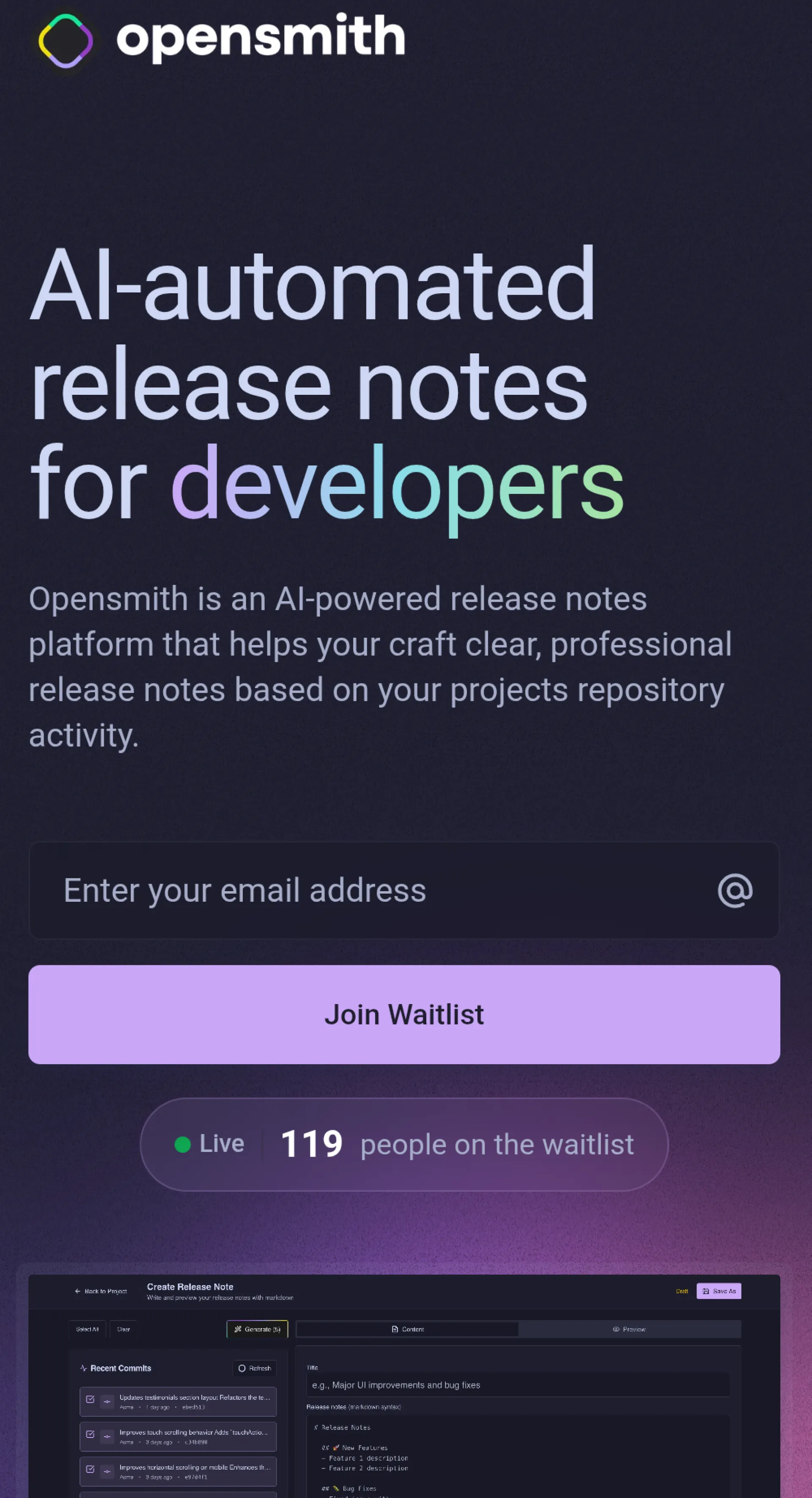
Working on a new app called Opensmith!
It allows your to connect your GitHub repo and generate release notes based on the repo activity.
It's almost finished and the wait-list has been opened for a little while now and noticed I haven't shared it with this community yet.
I have a bunch of useful features I'll be adding to it after release!
If you're interested, join the wait-list today
https://Opensmith.io
Also let me know if you have any questions or suggestions!

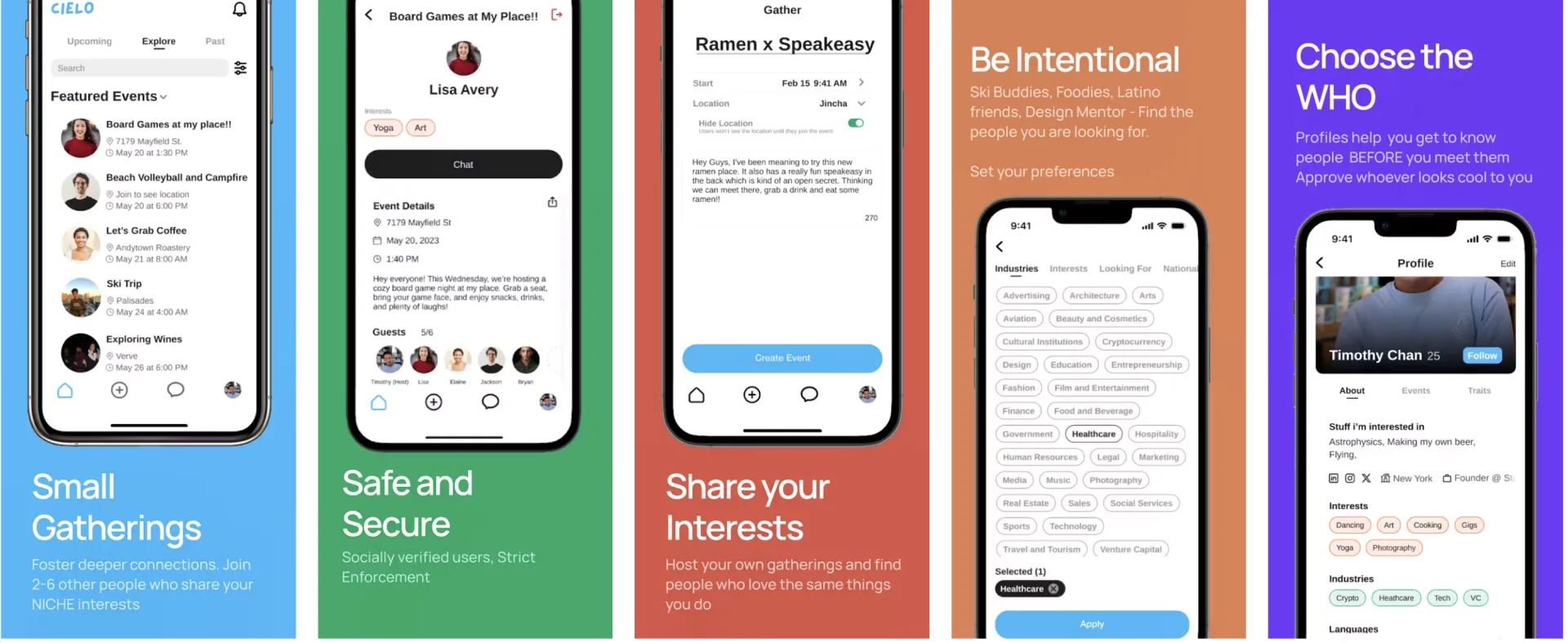
Cielo is a community-led platform that brings people together through intimate, shared experiences from ski buddies and wine tastings to Dinners.Set preferences of the kinds of people you want to meet.
Cielo is a community-led platform that brings people together through intimate, shared experiences. Whether you're new in town or just looking to meet like-minded people, Cielo makes it easy to connect with others over shared interests—from ski buddies and wine tastings to Dinners. Niche events around shared interests, in SF & NYC! Gatherings are intimate(2-6 people). Set preferences of the kinds of people you want to meet and do the things you want to do with the people you want.

Hey everyone!
This is my first post on Huzzler.
I'm glad to be here :)
I created toksupply.site - a website that offers U.S. based tiktok accounts that target the US fyp page.
I have a lot of friends outside of America who can't reach the US fyp page or if they do,
they have a complex setup.
I eliminated all of that.
You don't need to use a vpn, esim, or proxy for my accounts.
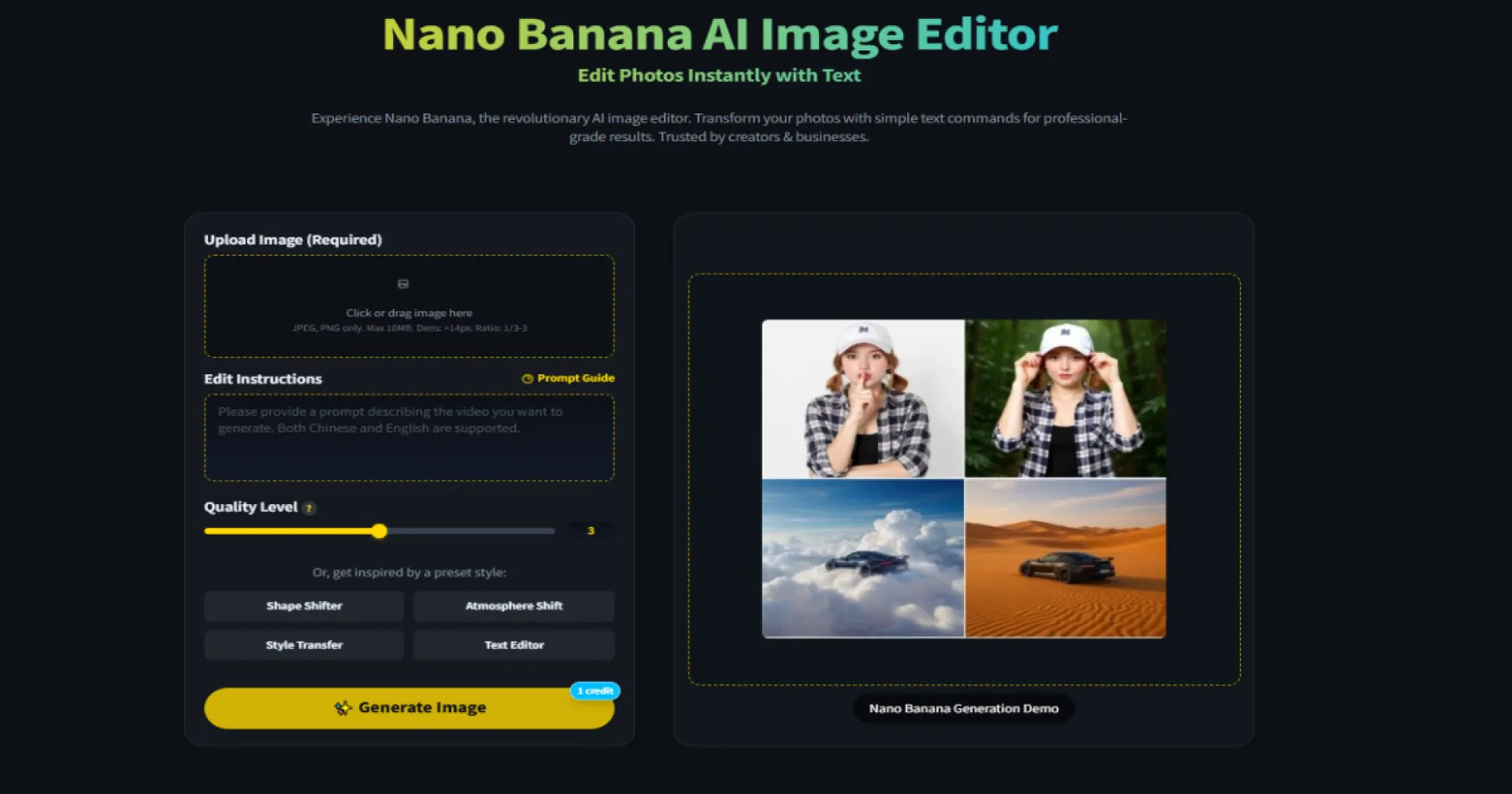
Over the past months, I’ve been building Nano Banana, a tool that lets you edit and generate images simply by writing out what you want.
The idea came from a common frustration: most creative tools are either too technical or too rigid. Designers and small teams often spend hours tweaking details when they just want a visual that matches their idea.
With Nano Banana, you can upload an image, describe the change you need in plain text, and get a result that fits. Behind the scenes, the system balances visual consistency with flexibility, so you don’t lose quality while experimenting.
I focused a lot on making the interface lightweight and team-friendly. Version history and multi-user access were things I personally missed when collaborating, so I built them in from the start.
This project has been my way of rethinking how creative work can feel—less about fighting the tool, more about shaping ideas quickly. I’d be glad to hear how others approach this balance, and what features you’d like to see next.

 $77/mo
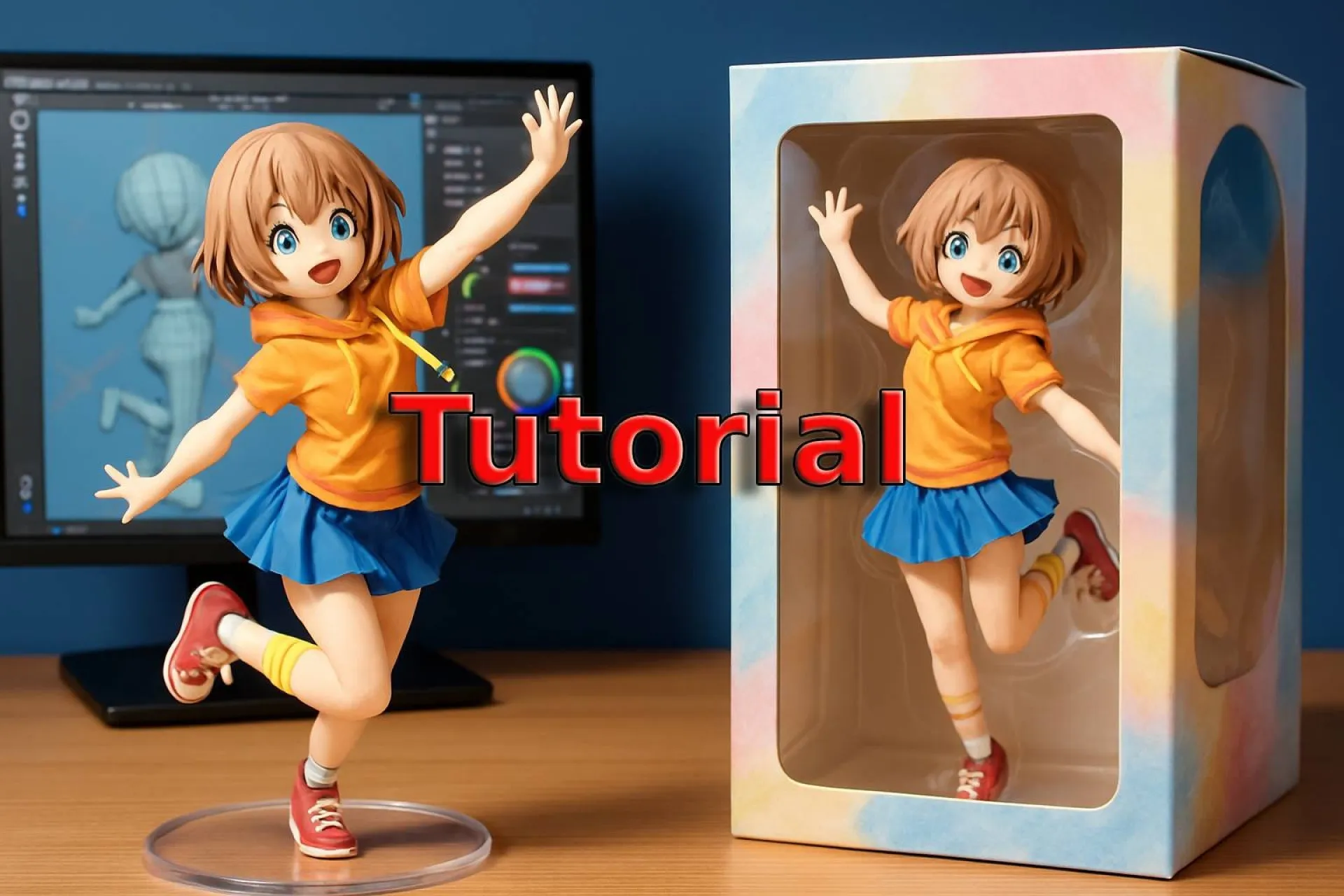
What is AI 3D Figure Trend, how does it work, and how to turn your photo into a collectible figurine. Tutorials, prompts, and FAQs:
https://www.hokentech.tech/ai-3d-figure-trend-guide

Hi Huzzlers 👋.
I used Interview-Coder 3 months ago, and wanted more.
If you've used any "Undetectable AI PC Apps" like Interview-Coder, LockedinAI, Cluely...,
and, like me, have been disappointed by the downers🥲:
- Only works for 1 use-case in 1 scenario.
- Requires a command for every response (even when they say real-time).
- Can't go back to previous answers.
- We have no control over appearance or behavior.
- Limited output response rendering (tables, links, code, markdown...) and value.
- Distracting interface (feels more like an app than a layer).
Let's find joy together🥰.
I'm building an app that solves all these.
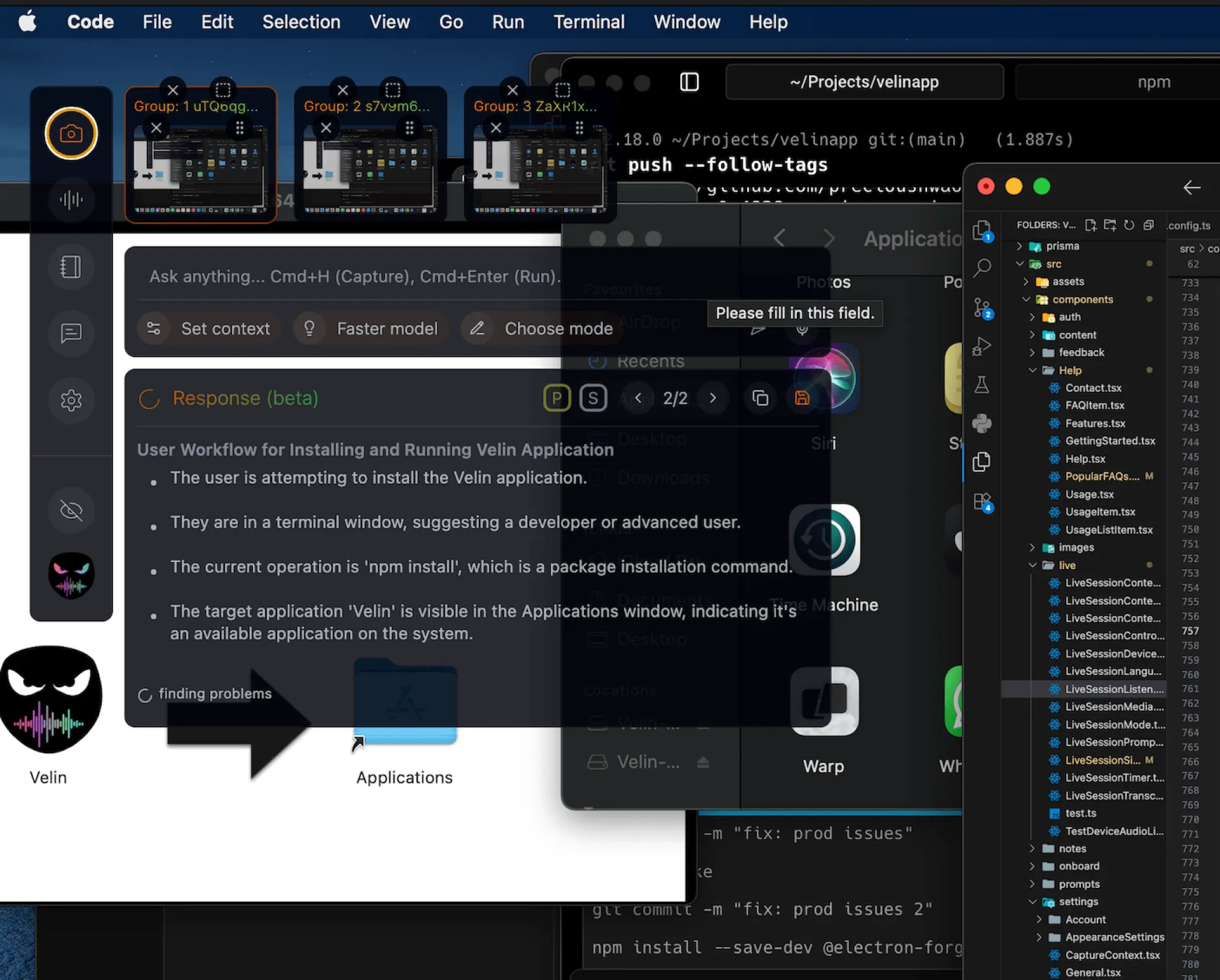
With VelinAI, you👇:
- Control everything UI and UX (Cmds/Clicks).
- Create or choose from different AI setups in the app (for live interviews, natural writing, online tests, sales calls, or maybe games).
- Can have real-time responses, without cmds, and well formatted.
- Auto responses and transcriptions as notes for ref.
- Forget it's on your screen.
🌱 Try my super early beta version at https://velinai.live on macOS & Windows
(don't forget to send feedback in-app).
PS: a little bugs rn 👋), it's my first time creating an app, want to hear your thoughts HERE -- more updates rolling!🚀
Onboarding a new client should feel exciting not repetitive.
Yet most freelancers spend unnecessary time rewriting the same welcome email for every new project:
- Update the client name
- Change the project type
- Add a new kickoff date
- Insert the right links
It’s copy-paste chaos.
With Slashit App’s Dynamic Template feature, you build your onboarding email once. Next time, just fill in the placeholders, and the email is instantly ready: polished, consistent, and professional.
This saves freelancers hours each month, reduces mistakes, and ensures every client gets the same confident, structured first impression.
Watch the demo here → https://youtu.be/rGuRBSlCd-A
Try Slashit free → www.slashit.app
Would love to hear how other freelancers streamline their onboarding workflows!
We’ve all been there digging through old emails or Slack messages just to reuse the same onboarding text, client update, or performance report. It wastes time and breaks focus.
That’s why we built Slashit App Snippets.
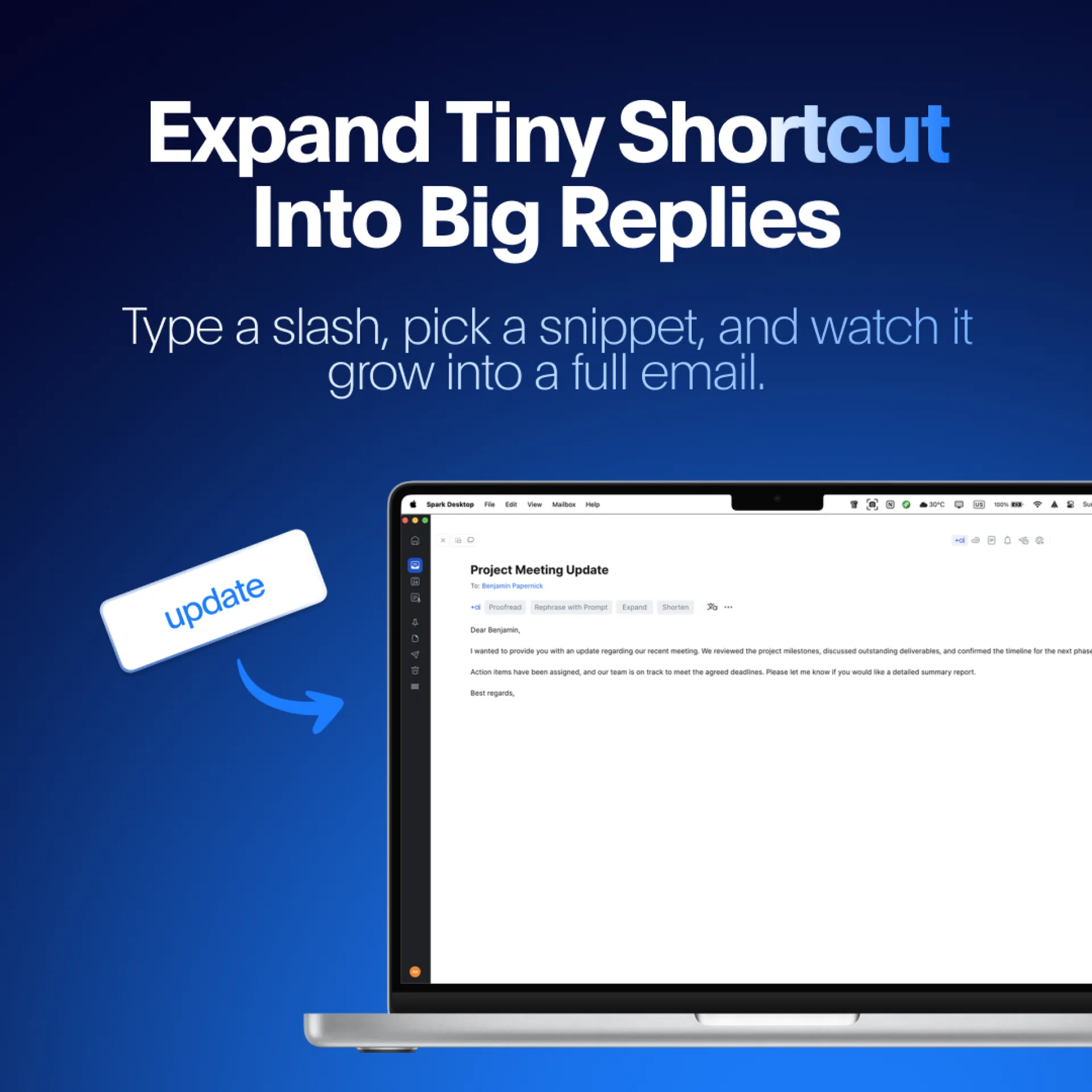
Instead of typing the same replies again and again, you just create a shortcut once like /onboard or /vendor and Slashit App instantly expands it into your full email or message.
Benefits:
- Consistency across client communications
- Saves hours of manual typing every week
- Works everywhere you type (Slack, Notion, Email, Docs)
It’s not just faster typing. It’s about freeing up mental space so you can focus on the content of your work, not the repetitive admin around it.
Curious to try it? Slashit App is live with a free plan + lifetime deal available.
Try Slashit free → www.slashit.app

LaunchitX is a product launch platform designed to give every maker, startup, and indie product the visibility it deserves — not just the top-voted ones.
What Makes Launchitx Different?
⏰ Launch on your timeline — No “limited slots” or “daily cutoffs” holding you back. Launch when your product is ready, not when the platform dictates.
🎯 Every project gets targeted discovery opportunities — Our algorithm doesn’t just show your product to “everyone”; it puts it in front of users who’ve engaged with similar tools, asked for solutions like yours, or fit your ideal audience profile.
🔄 Growth that lasts beyond launch — We don’t just celebrate your launch day. We help you collect feedback, nurture early users, and maintain momentum with post-launch insights and community connections.
🤝 Built for builders who value quality over quantity — Whether you’re a solo dev coding in your free time, a small team testing a new idea, or an ambitious creator ready to scale, we speak your language and prioritize your unique needs.
Business Operations Managers often spend hours translating technical jargon into something the rest of the team can understand. It’s repetitive, time-consuming, and honestly… not the best use of your time.
That’s why we built the “Explain This to a Non-Technical Team” Dynamic AI Template in Slashit App.
Here’s how it works:
- Enter your project name / description
- Add key technical terms
- Slashit App AI instantly generates a simplified, clear explanation for non-technical colleagues
No more manual rewrites. No more back-and-forth clarifications. Just fast, clear updates that keep everyone aligned.
Watch the demo here → https://youtube.com/shorts/X0eUEYFfLzk
Try Slashit App free → www.slashit.app
We’d love feedback from Business Ops Managers and cross-functional leaders how would you use this in your daily workflow?
#AItools #Productivity #Collaboration #slashitapp
Business Ops Managers (and honestly anyone working with vendors) know the pain:
You’re constantly sending the same reminders “Please share the updated timeline,” “Any changes to the delivery schedule?”
Instead of retyping or digging up old messages, Slashit App’s Snippet feature lets you:
- Save your request once
- Assign it a custom shortcut (e.g.,
/vendortimeline) - Insert it instantly anywhere you work
Example Snippet:
“Hi team, just a reminder to check in with the vendor for the updated project timeline. Please share any new dates or changes as soon as they’re available so we can adjust our plans accordingly. Thanks!”
With Snippets, repetitive messages turn into effortless, reusable workflows.
Watch the demo here → https://youtube.com/shorts/mYQNeNRHLJw
Try Slashit free → www.slashit.app
We’ve all been there:
You jot down bullet points for a report or update, but then spend extra time rewriting them into a polished paragraph that’s clear, professional, and executive-friendly.
With Slashit App’s Magical feature, that work disappears.
Here’s how it works:
- Type your rough notes
- Create a one-time AI prompt template (e.g., “Turn into a professional email update”)
- Assign a shortcut
- Select your text + press your hotkey
Your messy bullets → a polished paragraph instantly.
It’s productivity without friction. Perfect for Business Ops Managers, but honestly useful for anyone writing reports, client updates, or internal comms.
Watch the demo here → https://youtube.com/shorts/IsL236XJhAY
Try Slashit App for free → www.slashit.app
Business Ops Managers know the struggle:
Every week, you’re handed scattered updates and it’s your job to turn them into a clear, structured plan. It takes hours, and it’s repetitive.
That’s why we built the Slashit App Dynamic AI Template.
With our “Generate Next Week’s Priorities” prompt, you can transform messy team updates into a crystal-clear priority list in seconds.
How it works:
- Input your Team Name
- Add Current Status / Wins
- Note Blockers & Challenges
AI then drafts:
✅ A structured list of weekly priorities
✅ Actionable items for each goal
✅ Deadlines mapped by day
It’s like having a productivity assistant for your weekly planning.
Watch the demo here → https://youtube.com/shorts/uap5hcJ60a8
Try Slashit App free → www.slashit.app
What do you think would this save you hours every week?
This was an incredible ride. Lots of fails, lots of fine-tuning, countless days spent working, but in the end it was all worth it. Before telling you about this story, I'd like to tell you bit about my family and the idea that sparked this project
How it all started
I was born in 🇮🇹 Bari, Italy, and growing up I was lucky enough to experience the "good side" of the modern world, such as photography.
But it wasn't the same for my family. For them, professional photography was often a luxury they couldn't afford. As a result, they were left with hundreds of damaged photos, blurred childhood pictures, wedding pictures that were taken by family members instead of professional photographers - and photo albums full of photos you could barely see.
Decades of memories were barely visible - wedding photos where you couldn't see faces, childhood pictures that looked like watercolor smudges, family gatherings reduced to blurry shadows. However, some of the photos were REALLY good. And all of them were worth saving.
Out of the good family photos, many of them were simply low-resolution and too small for today's screens. Many of these photos were so small, faded and/or damaged that you could barely see the faces. So I decided to build something.
I went through THOUSANDS of family photos - not artificially corrupted images, but real photos with real damage from real families. Water stains, tears, fading, scratches. - and selected 150+ photos that I wanted to restore, bring back to life, and show to my grandmother. I've also asked friends and family members to send me their old photos, and began experimenting.
This is how it all started.
The endless search for the perfect AI photo restoration model
I began digging into existing AI models and tools, then learned about ML, vibe-coding, SaaS, startups and other topics that were unfamiliar to me until an year ago.
Started learning about training datasets. Turns out existing AI models learn from perfect photos - not 1960s Italian family snapshots with coffee stains and tears that were poorly stored inside an old luggage.
Using a model that was trained and fine-tuned on all kinds of photos (ranging from historical images to dusty family portraits from the 90's), I started seeing the first successful photo restorations.
My hopes were up, but little did I know this was just the beginning.
The results were not good enough. The faces were not always being preserved, some details remained lost, AI artifacts often appeared ruining the photos. Occasionally, AI kept turning my uncle's mustache into a shadow and gave my 5-year-old uncle the face of a 40-year-old. 🥸
It sounds funny now, but back then... it wasn't.
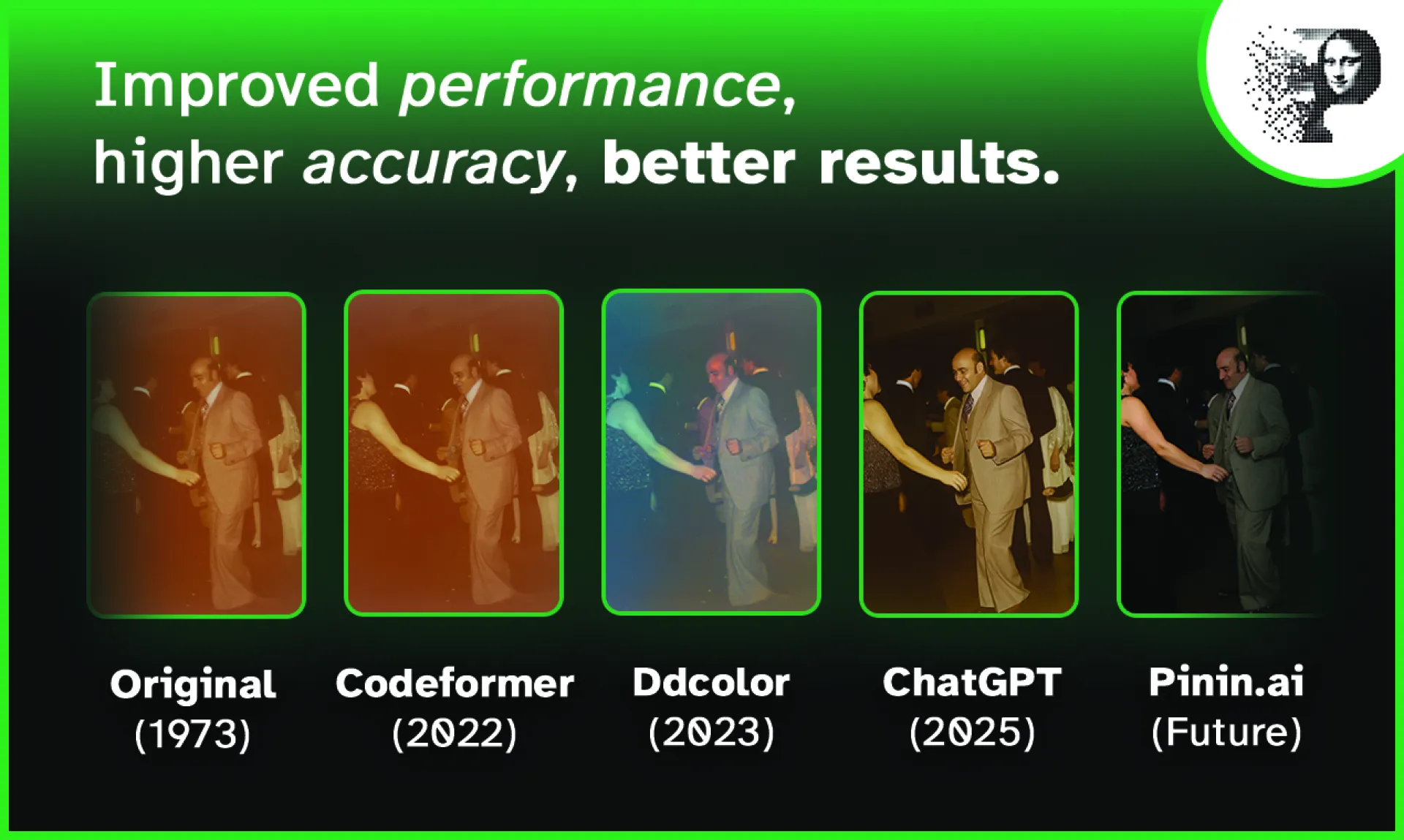
So I kept on fine-tuning, testing and fine-tuning. After a month, the results of the photo restorations were similar and comparable to publicly available tools such as ChatGPT*, and better than existing models for photo restoration such as GFPGAN, Ddcolor and Codeformer.
*For those who don't know: you can upload a photo on ChatGPT and ask it to restore the image, preserving details and such. But the result won't ever be the same as the one provided by a model that was specifically trained on restoring photos.
But still, it wasn't good enough. The photo restoration needed to be better. It needed to be something I could proudly show to my family, and perhaps the world. And so it became better. In fact, it became so good that I considered selling it as a service on communities like r/estoration - but then I had a better idea.
Pinin - a dead-simple but extremely advanced AI restoration and enhancement tool that can be used by everyone - even your grandma. Not made for profit - made to allow people to bring their memories, their families and their history back.
Turning the idea into reality
I took a break from all AI models, the endless research and all the fine-tuning when I've joined the Lovable Shipped competition. Amongst the prizes for the competition, there were $100k in cash and a live pitch in front of investors plus a flight to San Francisco. It was an opportunity I couldn't miss.
The competition was the perfect reason to stop waiting for the right moment, and to just do. With my unhealthy perfectionism set aside, I began working on Pinin. The goal was to turn this personal project into something that could actually change other people's lives.
For the following 6 weeks, I've worked non-stop on the branding and the website (both front-end and back-end) all by myself, with no team, no AI specialists and no developers. Every week, I've worked on the assignment on top of the assignments of my roadmap, documented the progress and submitted an update containing all the news, along with all the proofs. Every week for six weeks.
There were all the bells and whistles: legal pages, referral program, GDPR-compliance, magic link auth system for reduced friction and lots of under-the-hood optimizations. I've recorded and edited the final video pitch for investors, submitted it and crossed my fingers. Pinin was ready. I was ready.
The product validation (from my grandmother)
Once the tool was ready, showing it to my family was the biggest satisfaction. We literally took a picture of an old family photo with a phone. Within 20 seconds, it was as if the photo was taken yesterday.
Then, I pulled out the 150+ restored photos that were collected months earlier.
When I showed my grandmother the restored photos, she went silent. Then she started crying. She pointed at her mother in a 50's family portrait and said, "She's beautiful. I forgot she was so beautiful."
This was the moment that made it all worth it. Building something that makes people happy.
📌 Long story short: I didn't win the competition. I didn't even make it to the top 50. I didn't get any prize and I didn't get to pitch the project to investors. But I did finish the website, it was now fully working and presentable. And most importantly, my grandma loved it.
Pinin was born. And it did everything it promised.
This technical challenge turned into something unexpectedly emotional. Turns out family memories hit different when you can actually see them clearly.
It's very important to note that damaged photos aren't just "low quality" images - they're archaeological records. Each type of damage tells a story about where the photo has been and what happened to it. Old cameras had specific optical characteristics - particular types of blur, depth of field patterns, grain structures.
The purpose of Pinin is not to replace old family photos with AI-generated pictures. Pinin brings photos back to life. With all their quirks and all their history - with a better quality, clarity and resolution.
What is Pinin? And what does it do?
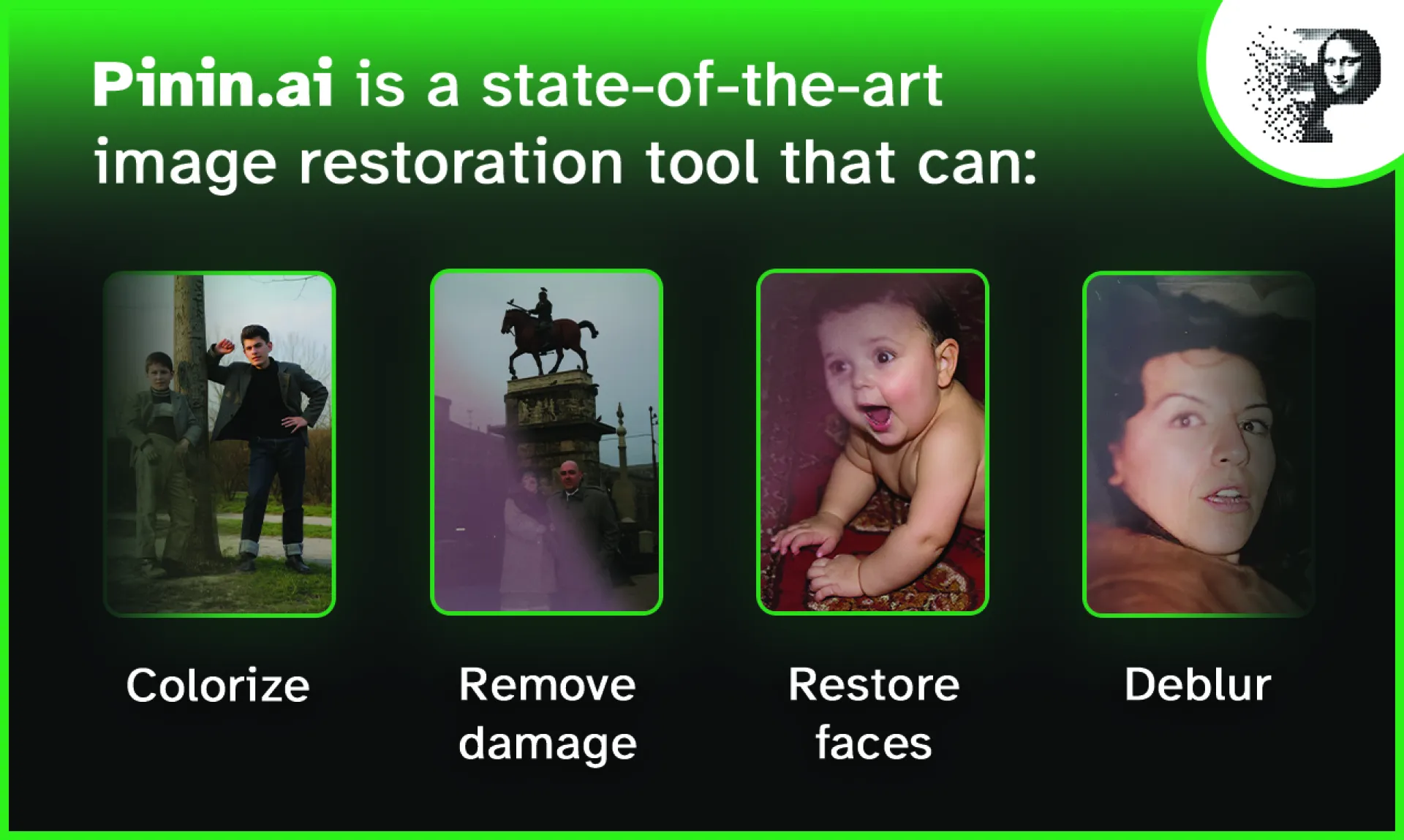
Pinin is a state-of-the-art image restoration tool that leverages the latest AI models and technologies to bring photos back to life.
It can colorize, deblur, remove dust & scratches, upscale and much more.
Pinin is not only for old and/or damaged photos. If you or someone in your family have blurry photos, or even photos taken with bad lightning, they can be corrected, restored and improved using Pinin.
Pinin is extremely easy to use. With the magic link login, you only need an email address to try out Pinin. Drag and drop your photos, click the button and watch the magic happen. It’s that simple.
The goal here was to reduce friction, allowing everyone to quickly and accurately restore their photos without paying for manual restoration services that can cost hundreds of dollars.
Free users can upload up to 20 photos at the same time, and paid users can upload up to 100 photos simultaneously while taking advantage of bulk processing, improved quality and processing times.
🔗 Try Pinin.ai’s photo restoration
Why Pinin?
The name 'Pinin' was inspired by Giuseppina “Pinin” Brambilla Barcilon, a famous art restorer known for spending over 20 years restoring the Last Supper of Leonardo Da Vinci.
Pinin.ai aims to carry forward Giuseppina’s values by meticulously analyzing damage and faithfully restoring photos in a way that existing tools can’t.
Although Pinin may not have the same patience (photos are typically processed in 12 seconds on average) or eye for detail that Giuseppina had, it also doesn’t come with the costs normally involved with manual photo restoration.
Nowadays, there are advanced tools and software that allow photo editors to accurately restore photos, but they require a lot of manual work - which usually comes with a bill.
🔗 Learn more about Pinin’s story
Unmatched quality & faithful photo restoration for everyone
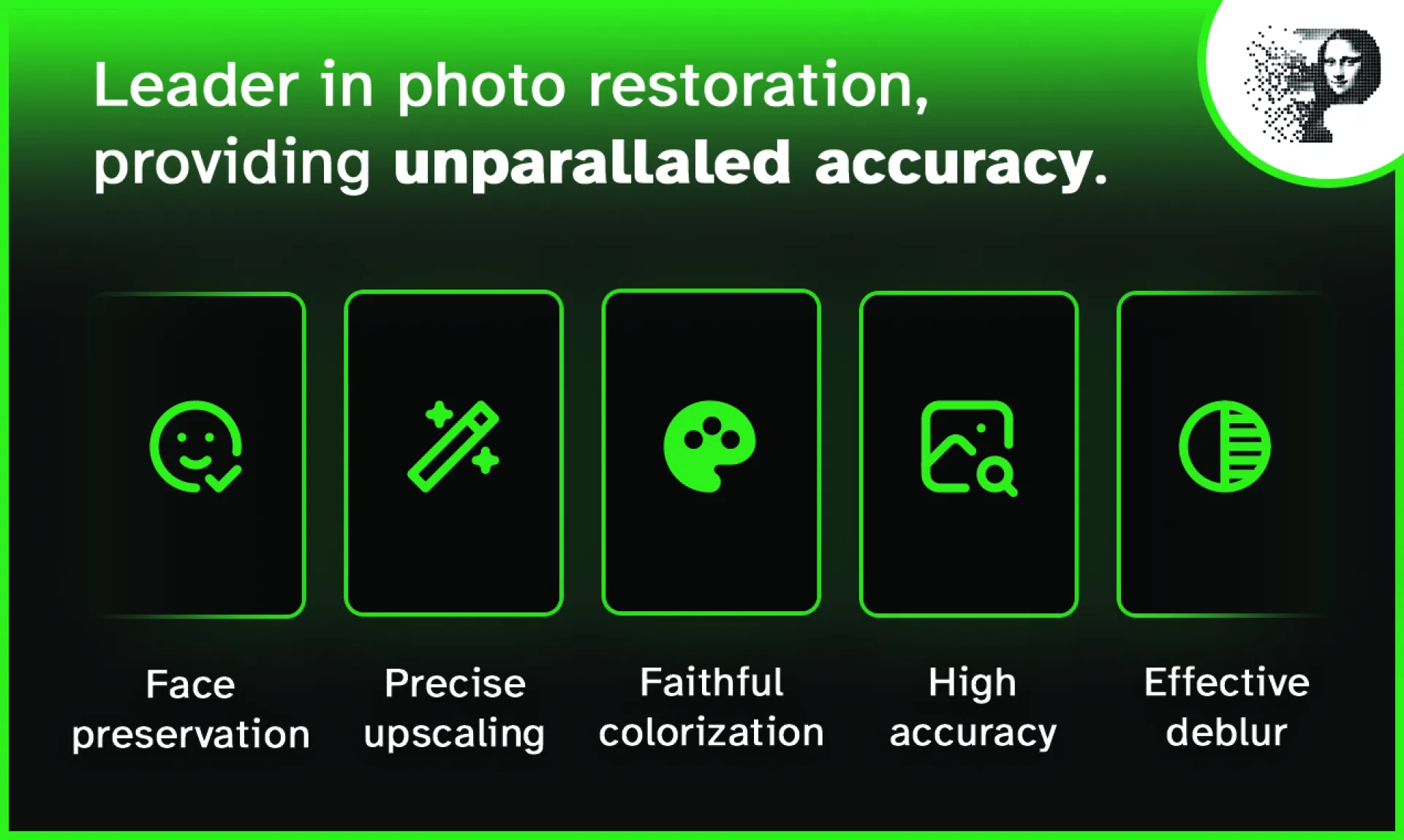
The accuracy of Pinin surpasses industry leaders like ChatGPT, and even models that were specifically trained on restoring photos such as Codeformer, ddcolor or GFPGAN.
While other models either do not restore the damage and/or create unwanted artifacts, AI faces and other issues that arise with the use of AI for standard photo generation, Pinin focuses on maintaining the original details and face features.
Most AI models were trained on pristine images, so when they see damage, they hallucinate details instead of intelligently reconstructing them.
With the right prompting, ChatGPT can do wonders. But it’s not ready for image restoration. It was not trained for image restoration. The models used by Pinin were trained on hundreds of photos from all around the world. This allows Pinin to carefully and faithfully restore lost details, faces, words, and even animals.
Does it really work?
In most cases, it really does.
The examples page contains multiple real examples of photos that were restored using Pinin.ai. It showcases the use cases of the tool, that go from restoring damaged photos taken in the 60’s, to de-blurring modern photos, improving the look and resolution of small photos, colorizing, restoring the original colors after fading & much more.
Preserving the original face features and details during the photo restoration process is the hardest part, especially when the details are not visible in the original photos. That’s where Pinin can make mistakes. In some cases, faces may look slightly different than the originals.
And that’s where our refund policy kicks in - Pinin is going to refund your credits if you are not happy with the final result.
So... what's the pricing?
Professional restoration quotes? $30-200 per photo. Imagine that for 200+ damaged photos.
AI models used for image generation, editing and restoration are not free either. They rely on high-performance GPUs to run smoothly and quickly. But using AI is still considerably cheaper than hiring someone that spends hours working on Photoshop, Lightroom and other software to restore photos.
Pinin offers a double pricing model: subscription and pay-per-photo. You can either buy restoration credits for $1USD per credit (1 credit = 1 photo restoration), or get a subscription and save up to 50% on your photo restorations.
Don't need a subscription plan?
No problem. You can purchase photo restoration credits individually for as low as $0.70 per credit. No minimum purchase, and no lock-ins. Safe and instant payments with Stripe.
Even if you decide not to save and buy a subscription, you can still purchase one single credit and restore one photo for less than a coffee.
For those with photos that are particularly difficult to restore and can not be restored by AI, we also offer a manual restoration service starting from only $20 per photo.
Did I already say it's free?
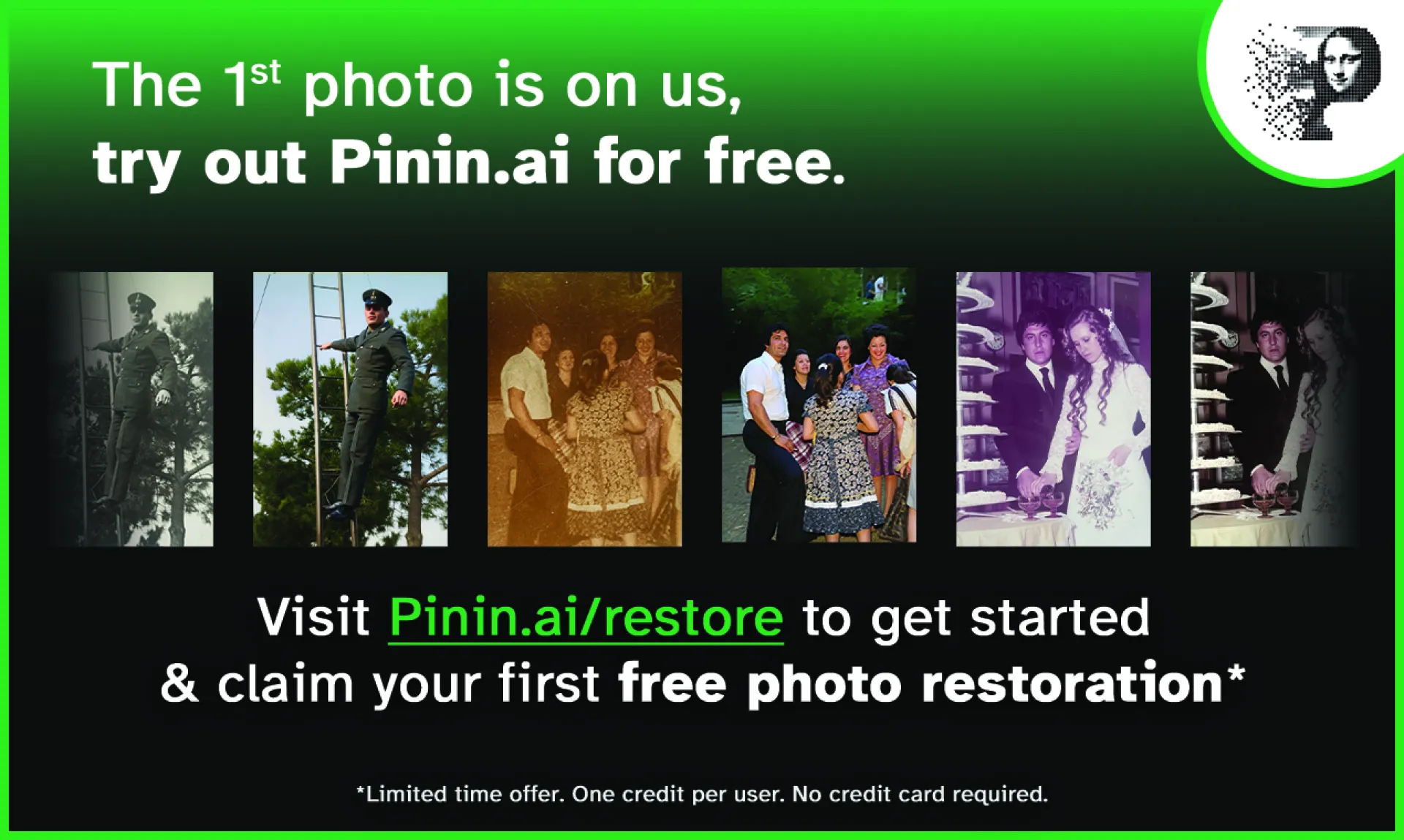
The first photo restoration is completely free. No questions asked. No credit card required. Just head to https://pinin.ai/photo-restoration, login and restore your first photo. 👇
Get your first free photo restoration
TL;DR
I wanted to restore my grandma's old family photos, so I built an AI tool that can accurately restore images and turned it into a product (while still making it accessible to everyone)