Posts
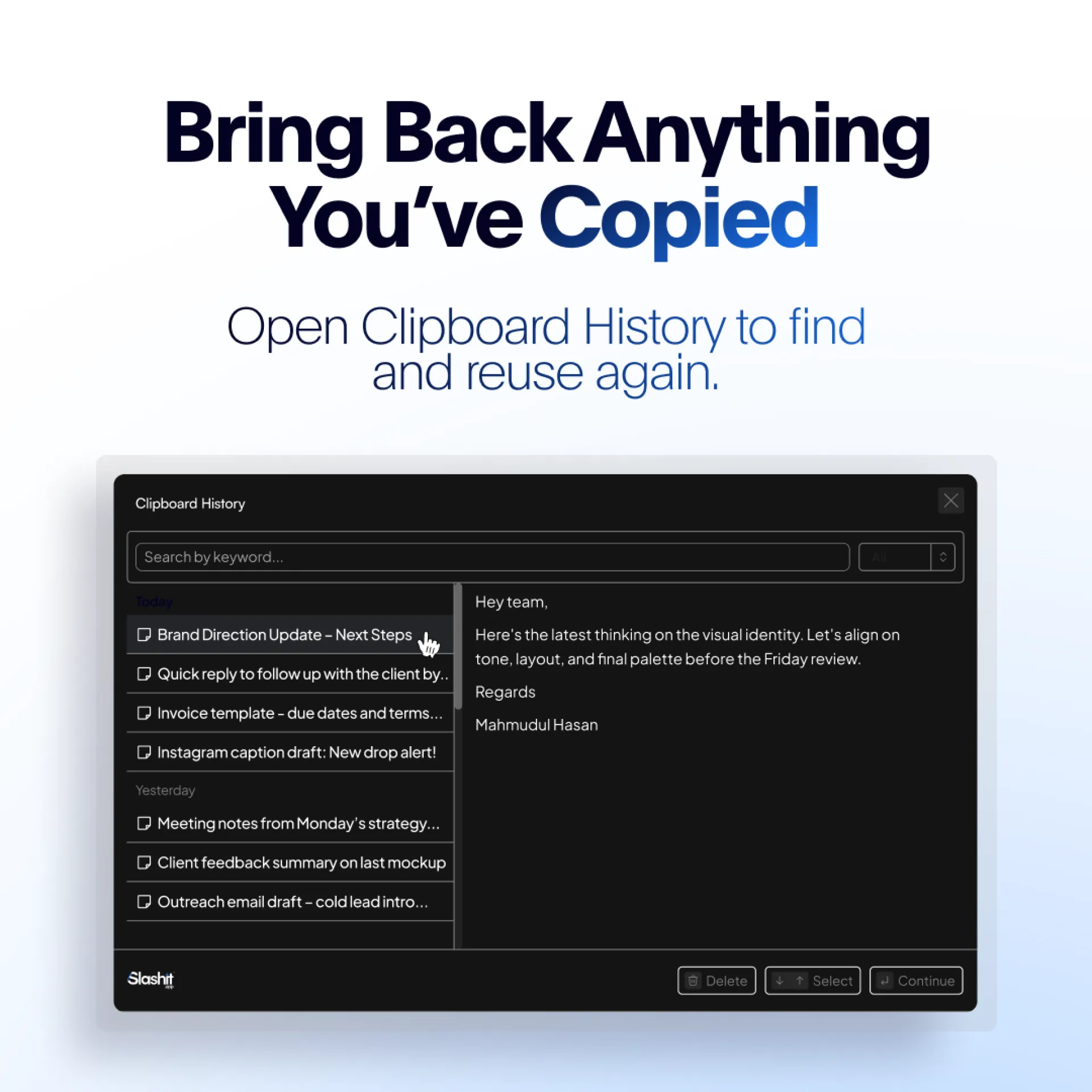
If you’ve ever copied something important only to overwrite it seconds later you know the frustration of a forgetful clipboard.
Slashit App’s Clipboard History feature remembers everything you’ve copied. Just open it, scroll back, and reuse any text, link, or snippet instantly.
Why it matters:
- Saves time searching old docs, chats, or files
- Keeps your work flowing without interruptions
- Works across all apps, no setup required
Whether you’re managing operations, writing content, or coding, Clipboard History will keep your ideas and info within reach.
Try Slashit App for free → www.slashit.app
#ClipboardHistory #WorkSmart #ProductivityHack #BusinessOps #slashitapp
If you’re in Business Ops, you know the drill: every week you write the same “Wins, Challenges, Next Steps” email from scratch.
Slashit’s Dynamic Template changes that.
You create your template once, with placeholders for details. Each week, you just fill in what’s new and Slashit App auto-builds the final polished email for you.
Benefits:
- Consistent communication format
- Zero time wasted hunting for last week’s copy
- No formatting headaches just update & send
It’s like having a communication autopilot for recurring updates.
Give your team consistency and get your Fridays back.
Try Slashit App for free → www.slashit.app
👉 Watch how it works: https://youtube.com/shorts/xRVhrSantRw
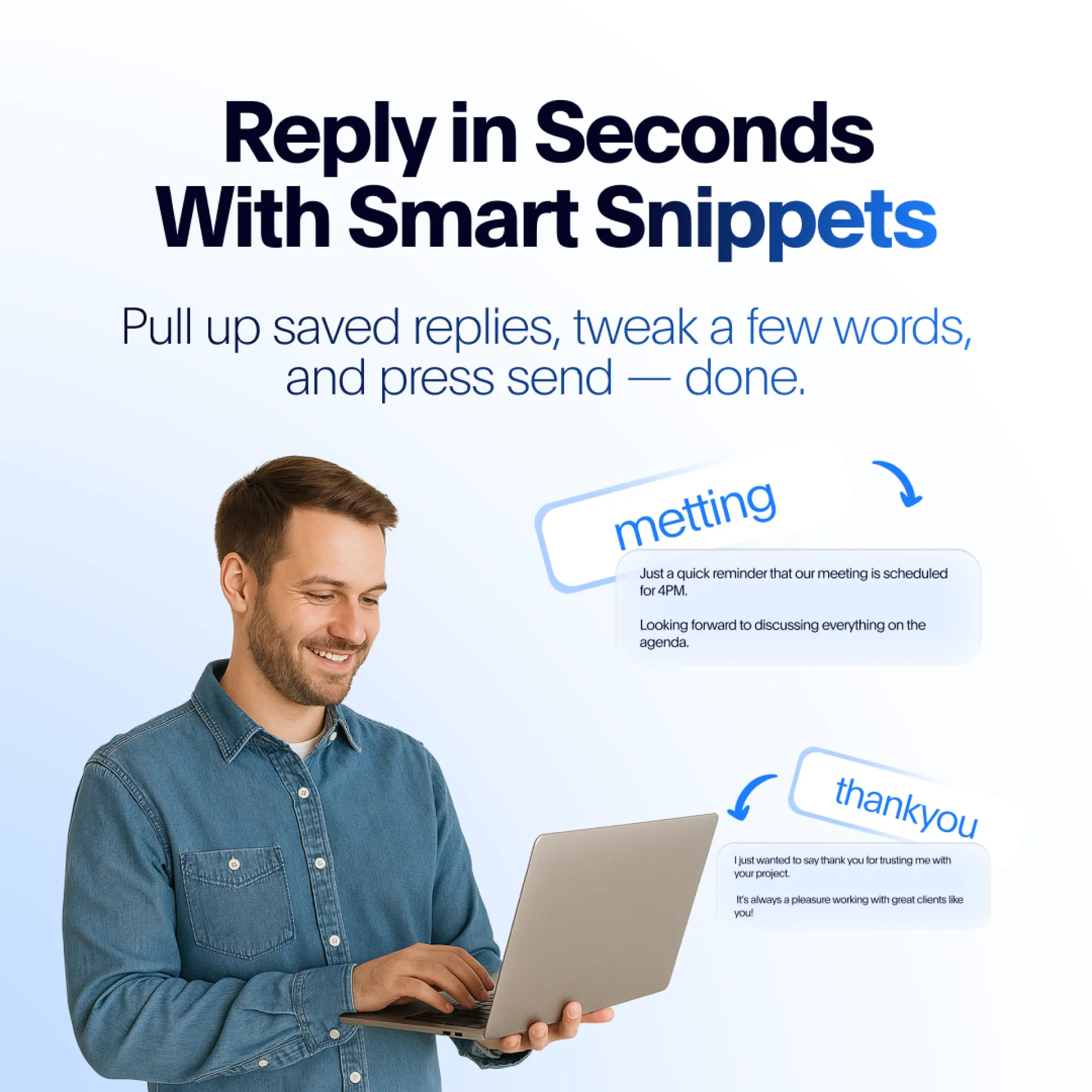
We built Slashit’s Smart Snippets to solve a problem almost every busy professional faces: rewriting the same message, day after day.
With Smart Snippets, you:
- Save your best replies once.
- Pull them up instantly, anywhere you type.
- Personalize with a quick edit, then hit send.
Whether it’s onboarding emails, status updates, or quick Slack notes, Snippets keep your workflow smooth and fast.
Try Slashit App for free → www.slashit.app
If you’re in Business Operations, you probably have a love-hate relationship with vendor follow-up emails.
You need them to keep projects moving, but writing them repeatedly is a drain on your time and attention.
That’s where Slashit’s Dynamic Template comes in.
You create your perfect vendor follow-up once, complete with placeholders for names, dates, and details.
Next time? Just type your shortcut, fill in the blanks, and Slashit App assembles the final email instantly.
No copy-paste. No format fixing. No missed details.
It’s your communication faster, cleaner, and consistent every time.
Try Slashit App for free → www.slashit.app
👉 Watch how it works: https://youtube.com/shorts/Tga3azNiik0
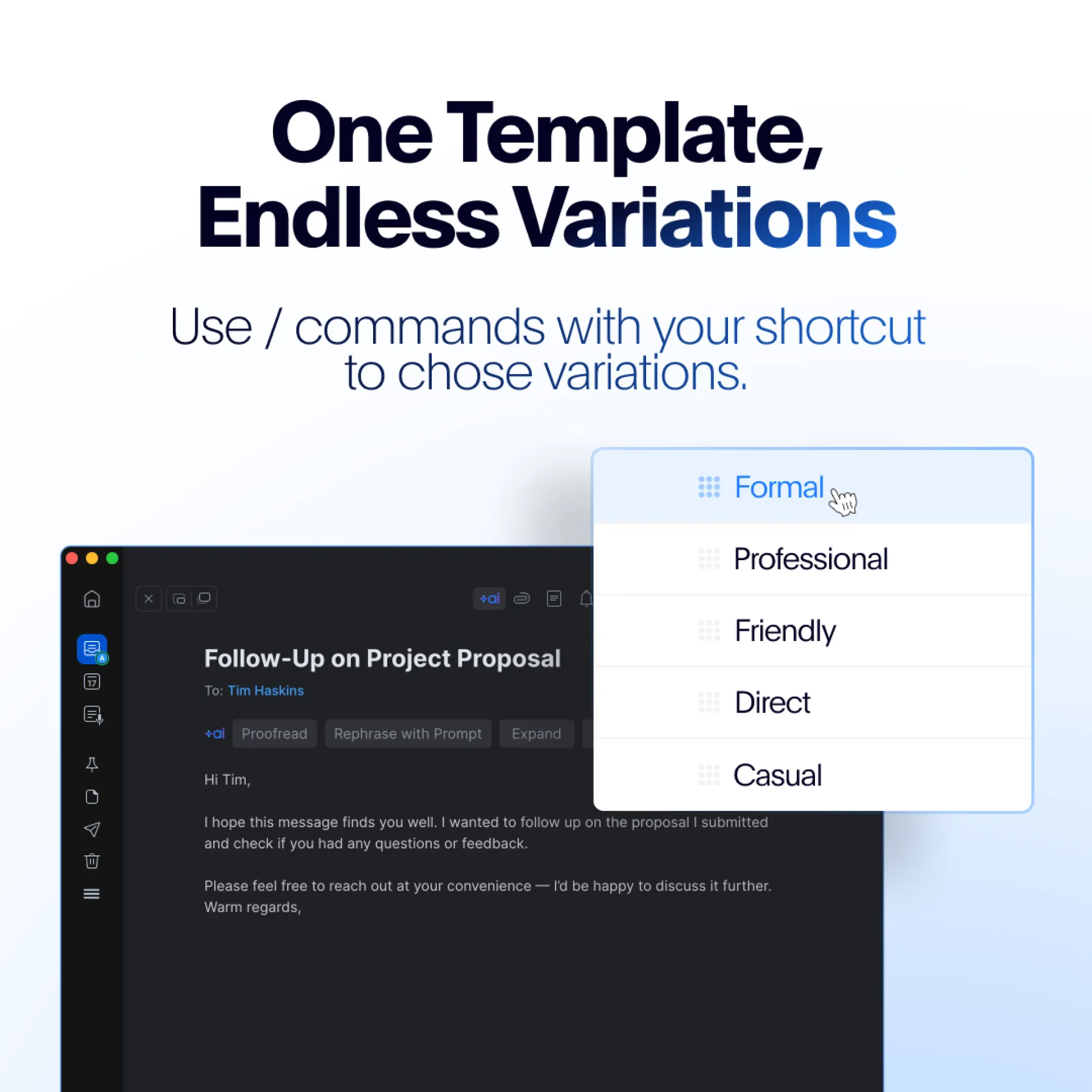
If you’ve ever created multiple templates just to handle tone, format, or audience changes you know how messy it gets.
Slashit App’s Dynamic Template Variations keep things clean.
Here’s how it works:
- Create one base template.
- Add a /command when you use it (like /formal, /casual, /brief).
- Instantly get a variation tailored to your need without editing the original.
It’s like having a Swiss Army knife for your templates one tool, infinite uses.
Say goodbye to template clutter and hello to lightning-fast adaptability.
Try it free → www.slashit.app
#Productivity #DynamicTemplates #Automation #BusinessTools #slashitapp
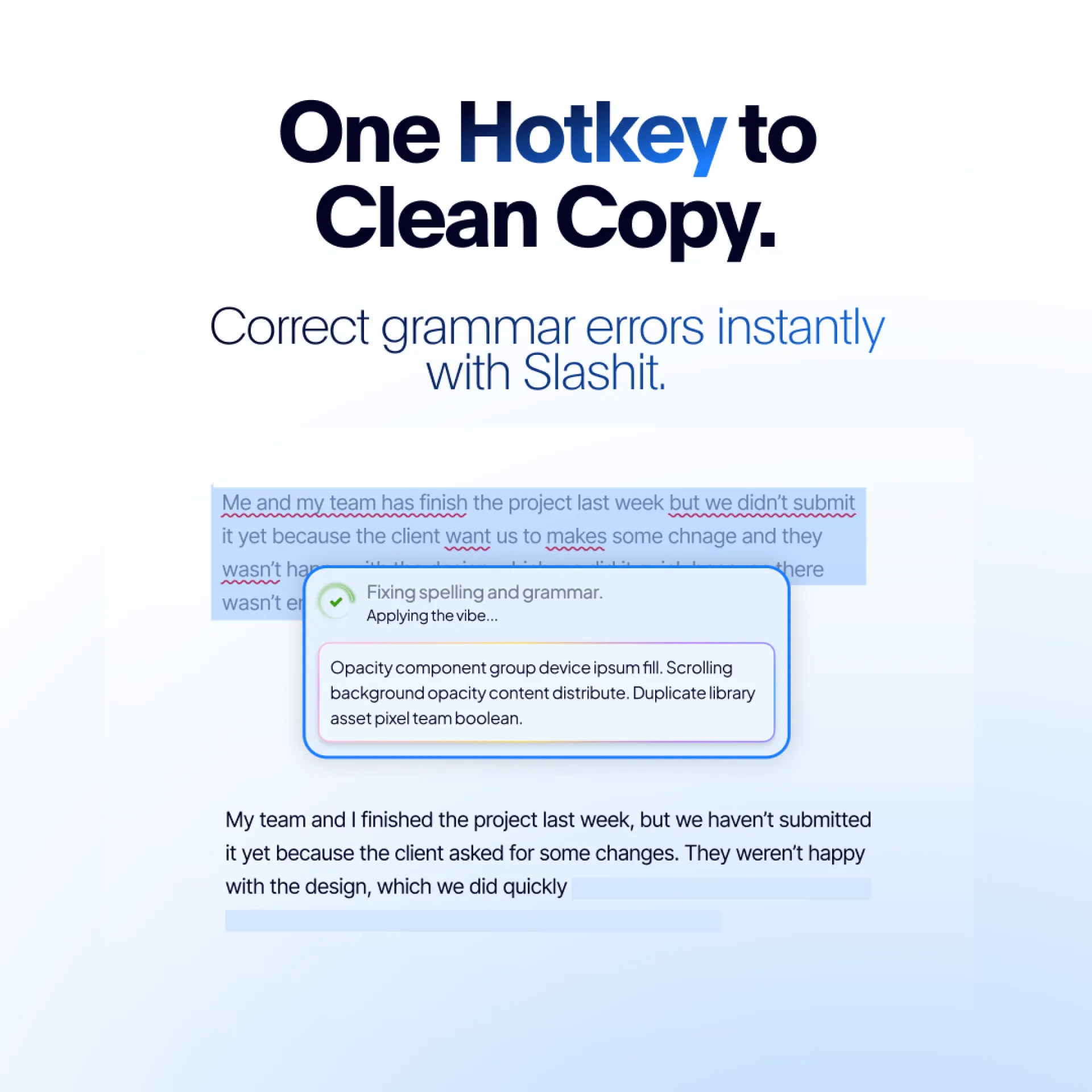
Do you copy-paste text into Grammarly or Quillbot every time you want it to sound better?
Slashit’s Magical feature lets you skip all that:
- Highlight any text anywhere
- Press your custom hotkey (e.g., CTRL + Shift + I)
Get an improved, clearer, and more professional rewrite instantly
It’s perfect for:
- Emails
- Reports
- Slack messages
- Website copy
- Any text, anywhere
No integrations. No interruptions. Just your words, leveled up in seconds.
Try it free → www.slashit.app
👉 Watch how it works: https://youtube.com/shorts/H5BH8Soa6Mk
You’re a Business Ops Manager juggling internal notes, vendor offboarding, kickoff emails, and weekly updates. Most of what you write isn’t unique just slightly tweaked versions of last week’s work.
Slashit’s Dynamic Template feature is built for that.
Set up your go-to message structures with placeholders. Then, just hit your shortcut and let Slashit do the rest.
- No more copy-pasting
- No more formatting headaches
- No more repetitive rewrites
Let us know how you’d use Dynamic Templates in your daily workflow!
Try it free → www.slashit.app
#SlashitApp #BusinessOperations #ProductivityTools
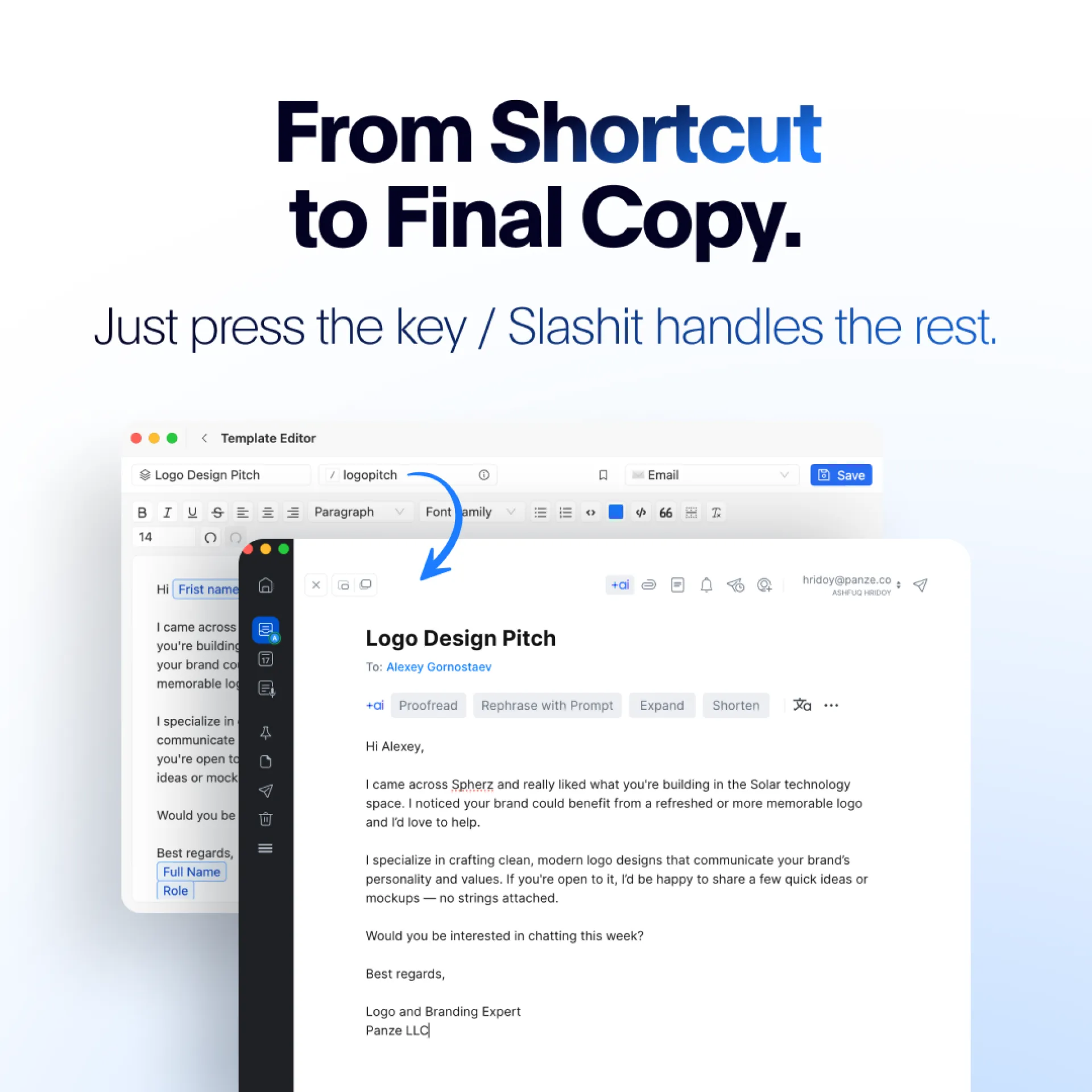
Business Ops Managers we built something for you.
If writing Monthly Performance Summaries is eating your time, try this:
Slashit’s Dynamic Template turns your typical reporting format into a smart prompt.
You fill in a few blanks. Slashit writes the rest neatly formatted, share-ready.
It’s structured, consistent, and so easy your Monday just got easier.
Try it free → www.slashit.app
#businessops #teamupdates #automationtools #productivity
Tired of juggling between your work app and a grammar checker just to clean up your text? With Slashit’s Magical feature, you can fix grammar errors, improve clarity, and elevate tone all without leaving your current screen.
Here’s how it works:
- Write as usual emails, Slack messages, docs, anything.
- Highlight the text you want to fix.
- Hit your chosen hotkey.
- Get instant, clean, professional-ready copy.
Perfect for busy Business Operations Managers, team leads, or anyone sending frequent professional messages.
✨ Save time. Send better messages. Every single time.
#ProductivityTools #WritingTips #AIWorkflow #BusinessTools #slashitapp