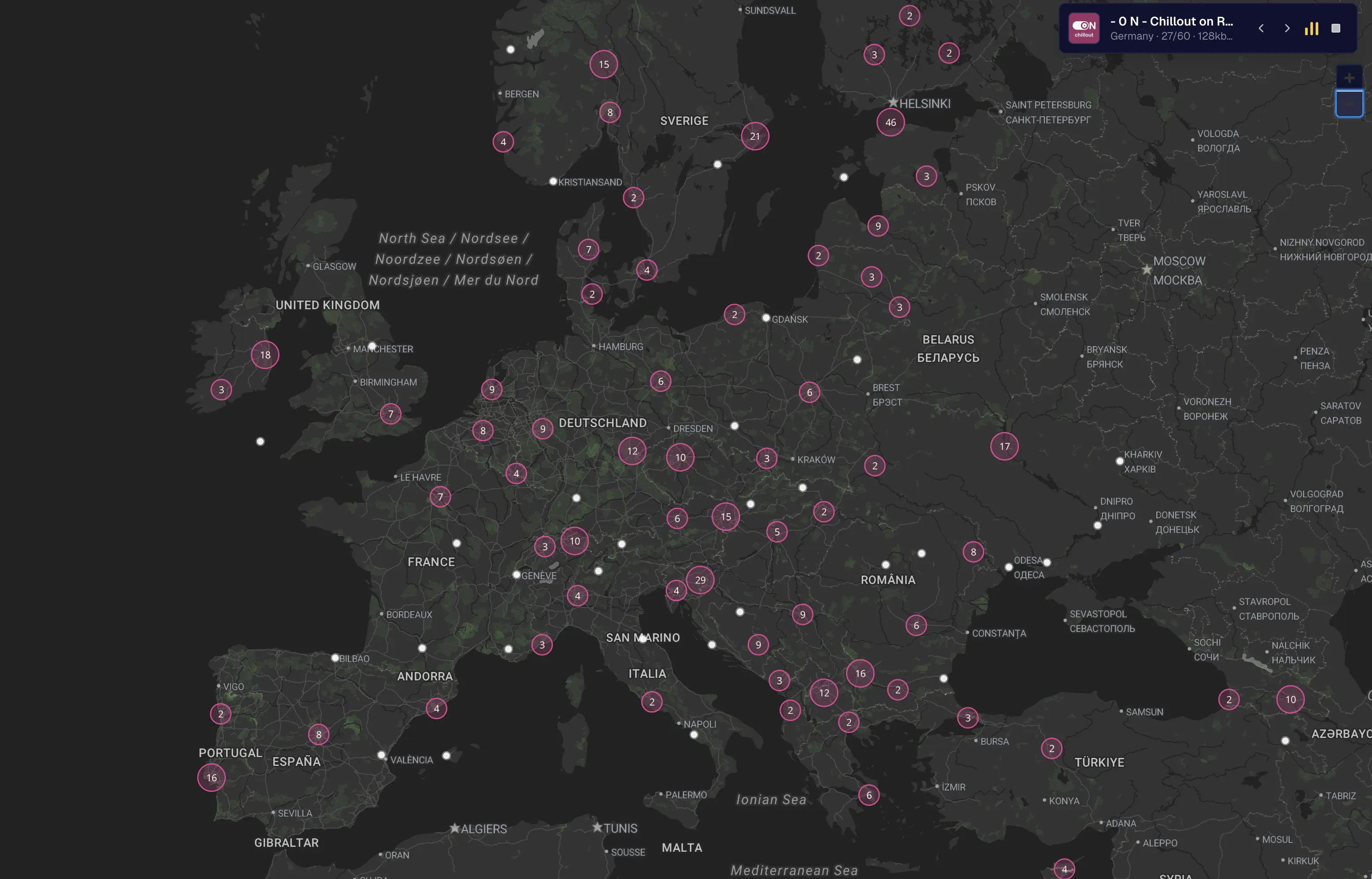
Euroradio
24/7 European Radio
 euroradio.online

https://arinakos.gumroad.com/
Trust is earned, not assumed.
When you’re feeding sensitive code, business ideas, or personal thoughts into an AI, you need to know: where does this data go?
I went down the rabbit hole of Anthropic’s Terms & Conditions. Here’s what I found.
Is my data being used to train Claude?
The answer isn’t a simple yes or no. It depends on your choices—and a few exceptions.
But it really mostly seems like a no.
Anthropic will use your conversations if:
What gets included? The entire conversation. Any content, custom styles, or preferences you’ve set. Claude for Chrome usage data too.
Worth noting: raw connector content from Google Drive or MCP servers is excluded—unless you directly paste it into the chat.
Here’s the seemingly good news.
Incognito chats are protected. Even if you have Model Improvement enabled, incognito conversations won’t train future models.
Feedback via thumbs up/down buttons? Stored separately for up to 5 years, de-linked from your user ID.
But, if the safety classifiers flag your content, then your content will be kept.
How are the classifiers built though?
If you insist on using Anthropic, keep on reading.
On Desktop:
Direct link: claude.ai/settings/data-privacy-controls
On Mobile:
This is simple. No dark patterns and no buried menus — just suspicion.
When you disable training, it only affects new conversations.
Previously stored data and anything already used in training? That ship has sailed.
Even with training disabled, safety-flagged conversations may still be reviewed. Anthropic reserves the right to use this data for:
This isn’t surprising. Every AI company does this. But transparency matters, and they’re upfront about it.
Can we trust Anthropic?
Here’s what I see:
The positive:
The concerns:
Trust isn’t binary. It’s a spectrum.
Anthropic sits on the more transparent end compared to competitors. They explain their policies in plain language. They give you real controls.
But “trust” and “verify” should always go together.
If you’re using Claude for sensitive work:
Anthropic isn’t perfect. No company is.
But they’ve built a system where informed users can make real choices about their data. That’s more than most can say.
The question isn’t whether Anthropic is trustworthy.
The question is: have you taken the time to configure your trust level?
Sources:
This entire message was dictated, meaning typed on my behalf by the computer, using a tool I made called Privisay.
Check out the demo for the automated post I created for LinkedIn.
Looking for people to try it out.
Every website is an HTML page, which comprises of 2 parts.
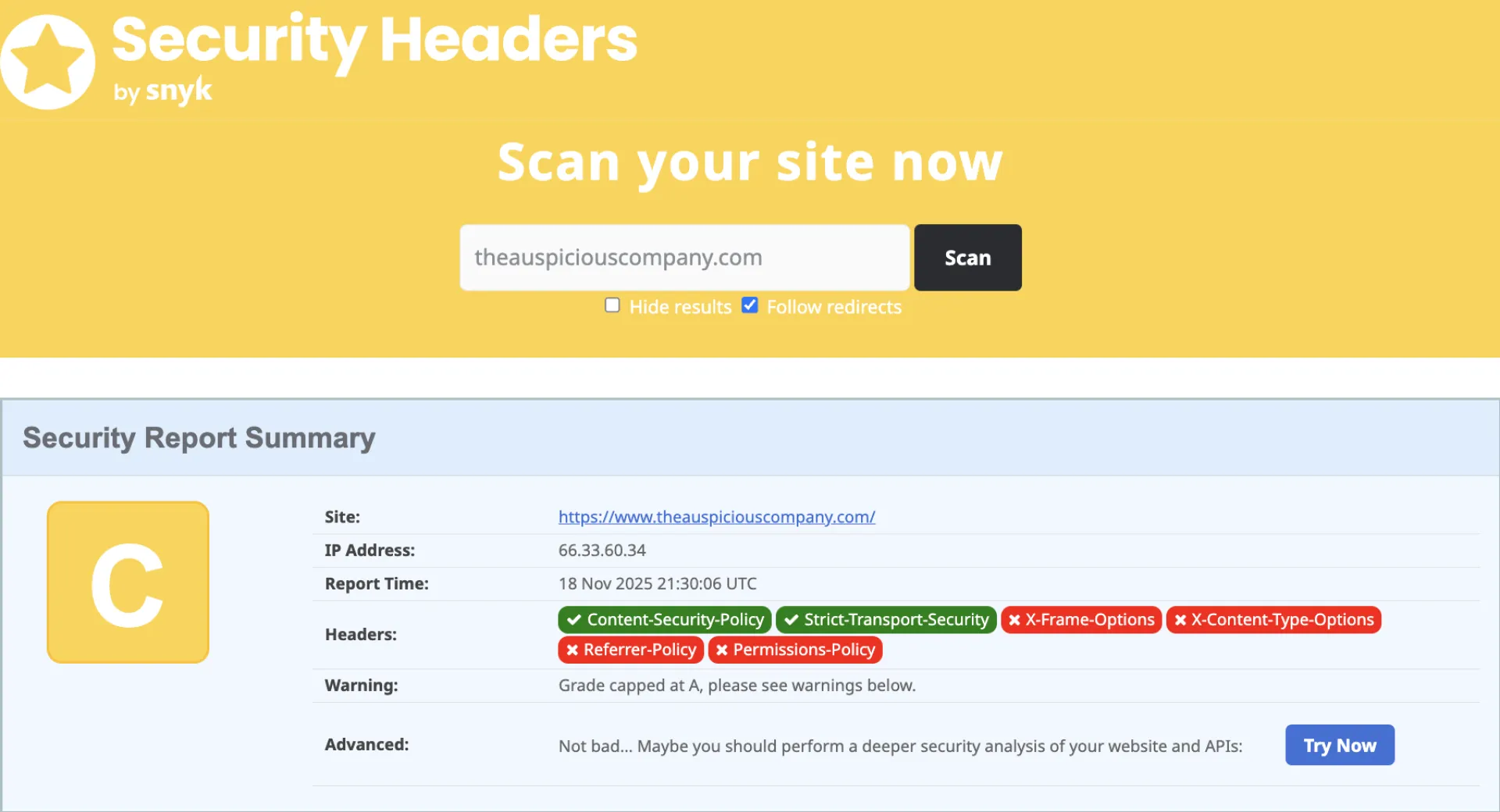
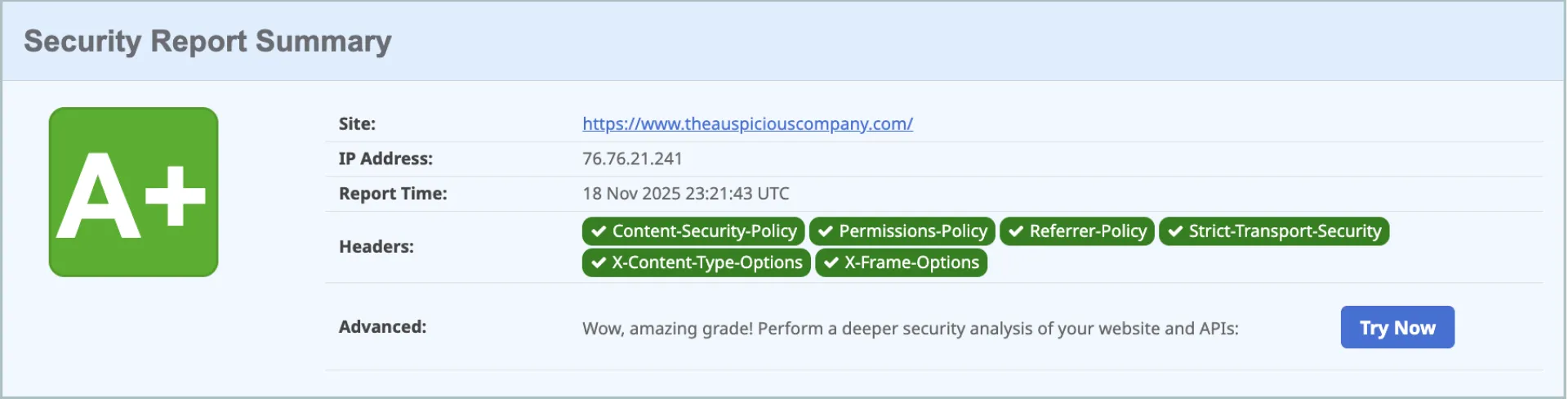
The Body, which is what we see on this webpage and Header, which is what makes the page secure, discoverable, and interactive.
When it comes to the security aspect of our webpage, there are a LOT of variables to take into consideration that extend beyond the Header section of an HTML, of course. However, that's out of scope for this post.
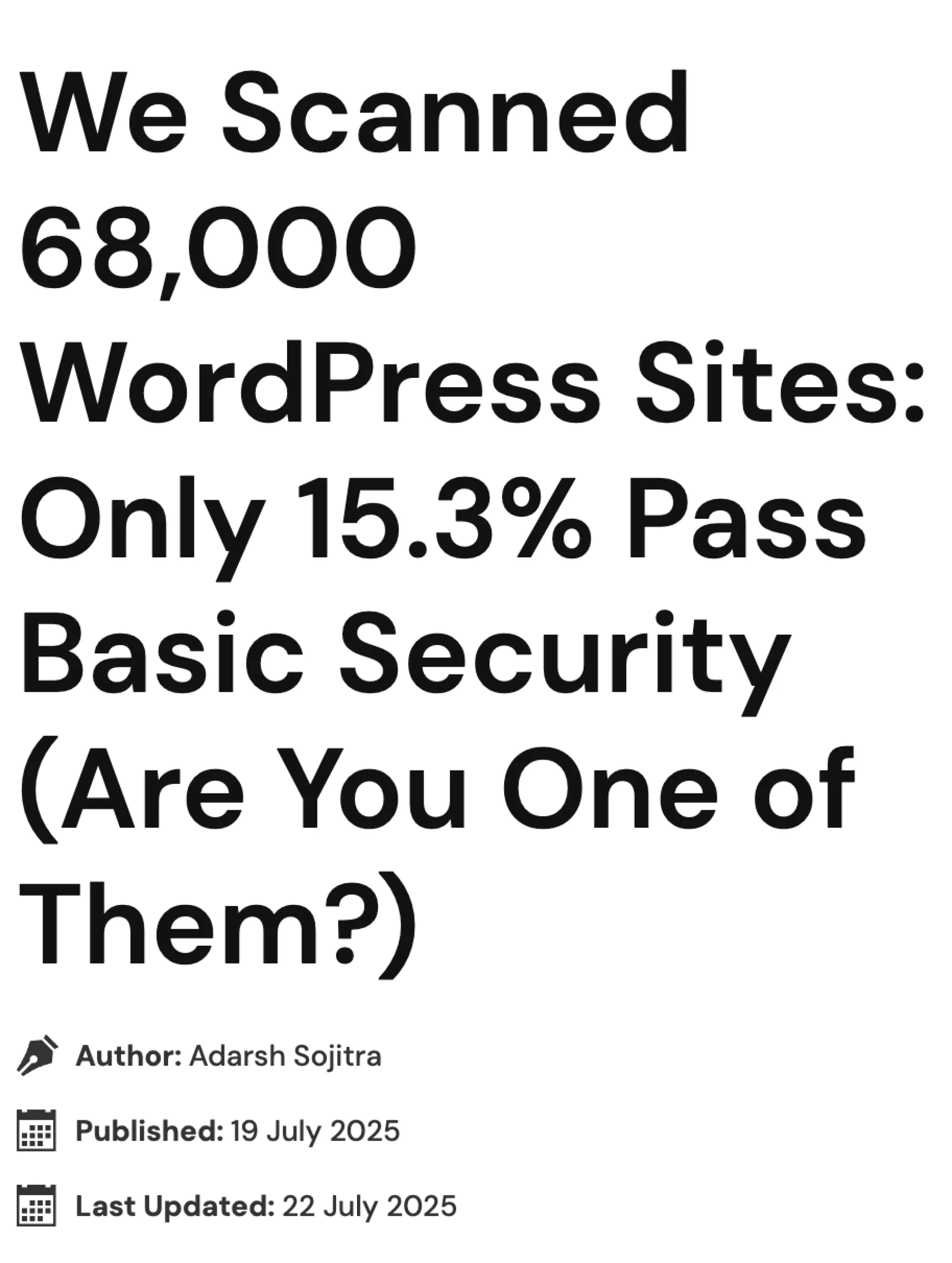
What prompted me to look into this was an article that showed how so many WordPress sites (which still dominate the web) are insecure.
Today, I want to focus on a few simple tools you could use to resolve this yourself whether or not you use WordPress.
If WHY is not clear, just consider these 2 edge cases.
Long story short, take Security seriously.
Most developers may not know this.
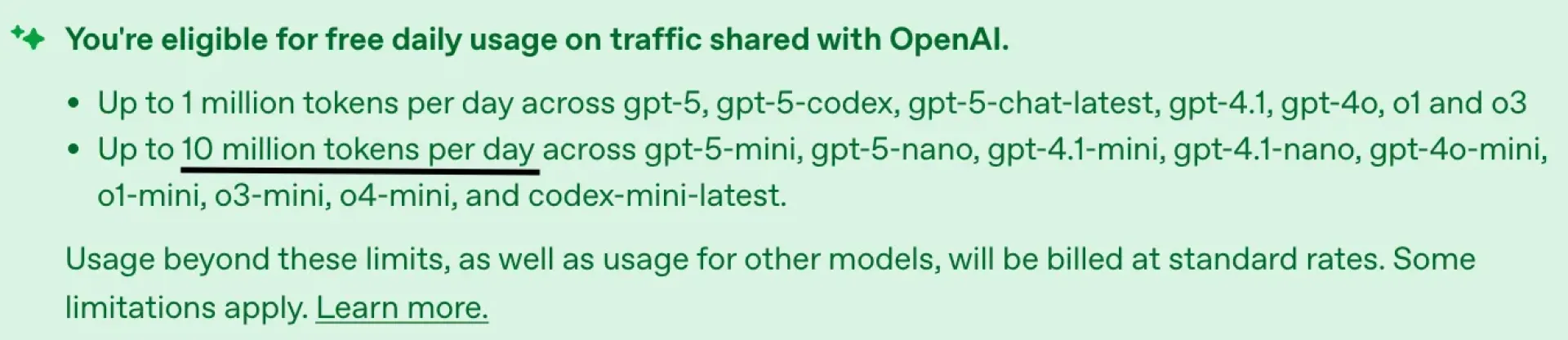
OpenAI quietly sponsors up to 10 million free tokens every day if you enable data sharing in your API settings.
That’s roughly 5,000 pages of text daily, enough to power an entire product prototype or content engine — for free.
If your prompts don’t include sensitive data, this is the easiest way to run the GPT-5 API nearly cost-free.
Model TypeFree Tokens/Day (Tier 3–5 users)
Equivalent TextMini models (gpt-5-mini, 4.1-mini) -> 10M~5,000 pages
Main models (gpt-5, 4.1, o3) -> 1M~500 pages
For Tier 1–2 users, the limits are about 25% of that.
1️⃣ Visit platform.openai.com → Settings → Organization → Data Controls
2️⃣ Under “Share inputs and outputs with OpenAI”, select Enabled for all projects
3️⃣ Click Save — your account is now enrolled
Your daily allowance refreshes automatically.
For builders, that’s effectively free compute for:
Just remember: disable sharing for any project involving private or client data.
Last May was a turning point in my solopreneurial track.
I was making no money.
I knew that content marketing is crucial to succeed, but I observed a new trend; namely that of N8N. It has a low KD and high SV.
N8N started being a versatile tool for so many repetitive workflows from finding Reddit Leads to generating JSON-LD Schema Markups (which help you appear faster on AI).
These tools helped me increase by reach both as a problem solver and as a creator.
What is more, when someone pays you for a problem that is instant PMF validation.
While I earned a small amount of money, I learned a valuable lesson.
Automate systems, not relationships.
Build trust manually, while you let machines handle the grunt work.
If you use generative AI in client-facing processes, such as outreach messaging, make sure you leave your personal touch in the process.
Sign up for the limited spot “AI as your colleague” if you wish to learn how to use AI as your collaborator. This program is for serious and experienced entrepreneurs.
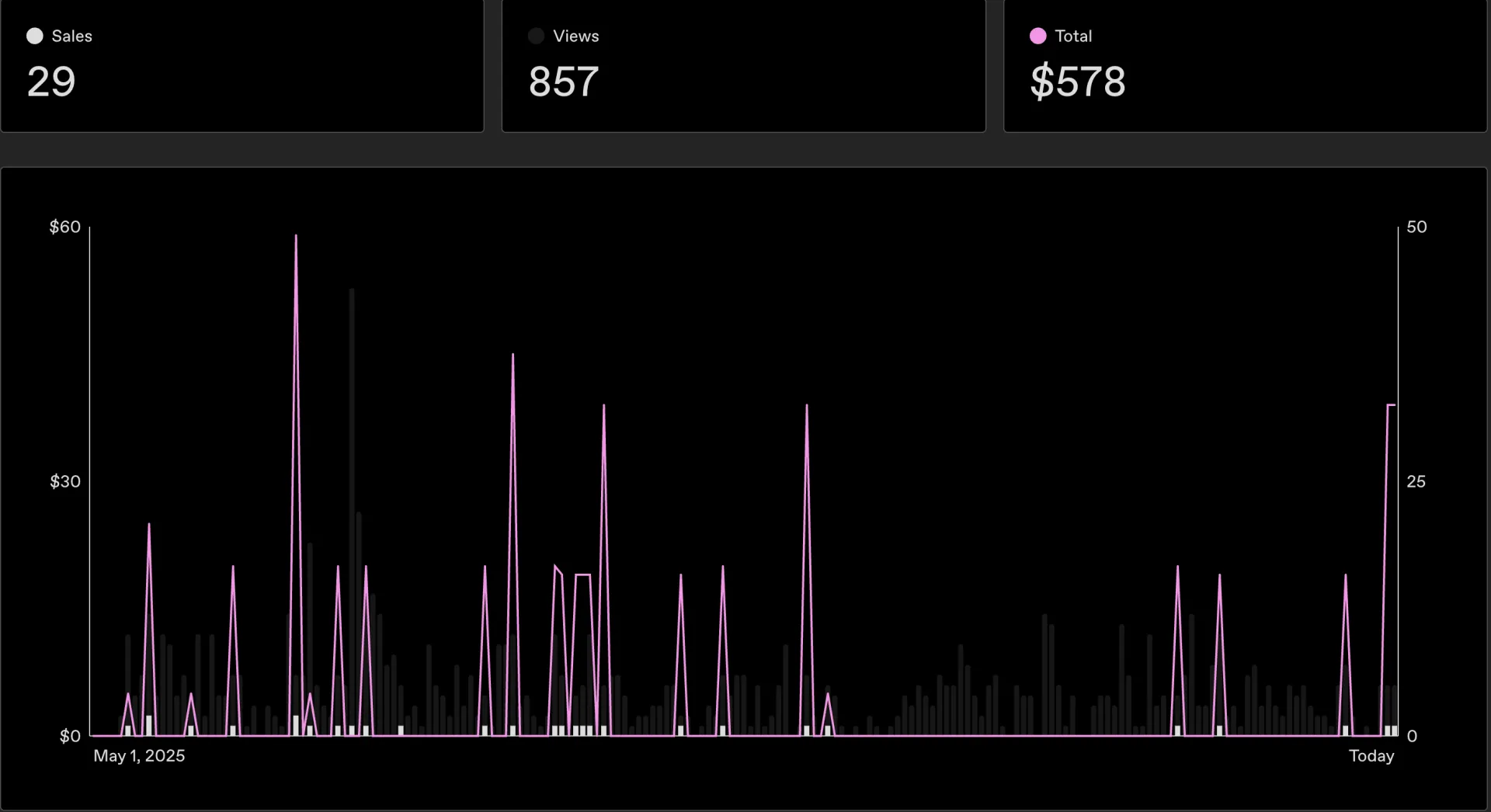
We hustle daily, right?
One day is great, followed by several down days, at times.
But we keep building and eventually we earn trust.
I decided to share my ~ 3 year journey on Solopreneurship on Medium.
People loved it.
I was a bit surprised, but then again in hindsight it makes sense.
People love reading about how to make money.
Just think of the algorithms that rule our life.
The lists go on.
But as someone who lives in reality, I thought I'd share the hard truth behind solopreneurship and surprisingly how writing about it has resulted in a funnel for my freelancing services!
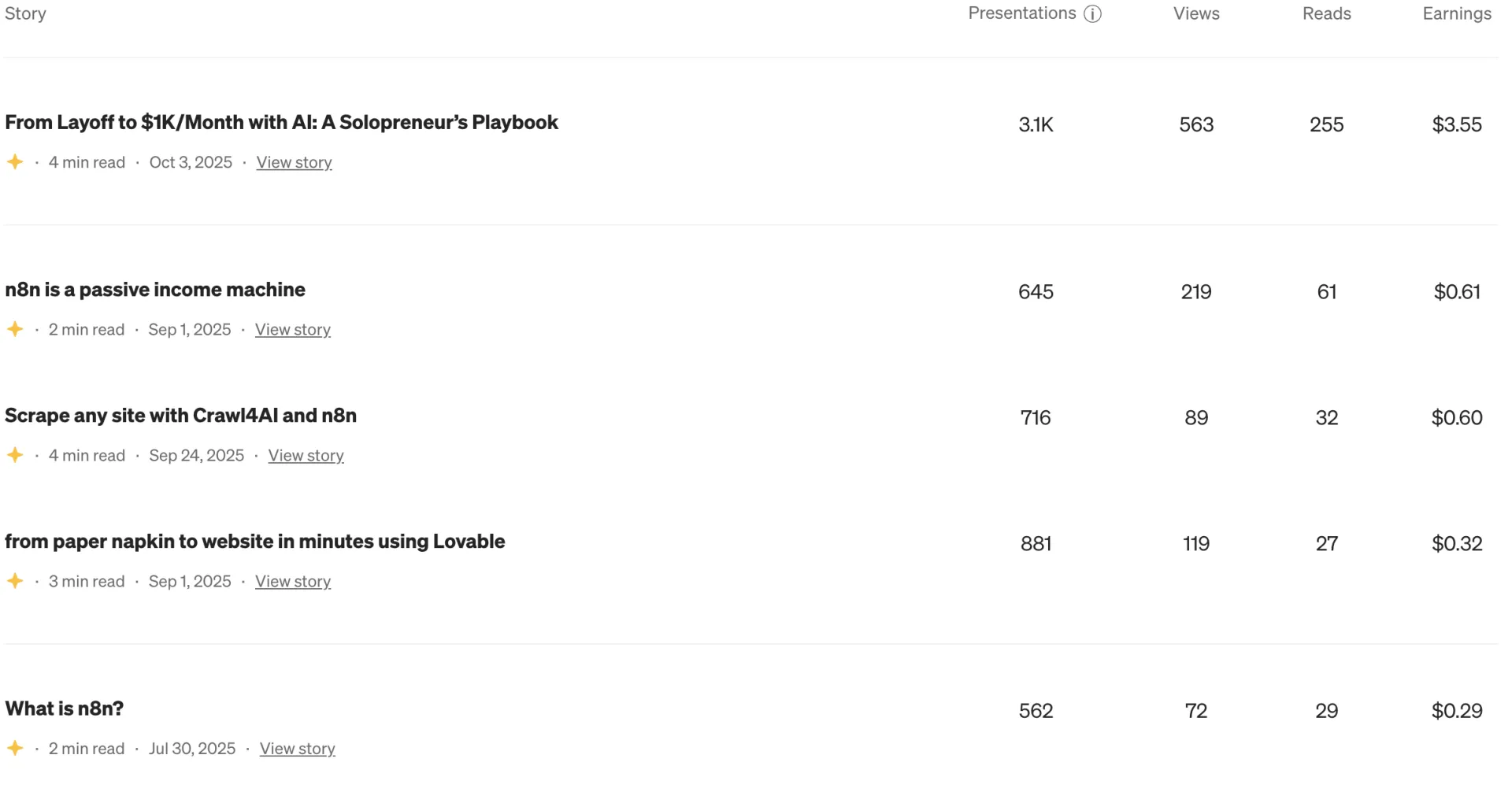
This video tutorial shows how to build a complete web scraping workflow by combining Crawl4AI, n8n, DigitalOcean, and Supabase. It walks through checking site permissions (robots.txt, sitemap.xml), setting up a Docker-hosted Crawl4AI endpoint on DigitalOcean (with memory sizing, port configuration, and securing via API token), and then building an n8n flow to fetch URLs from a sitemap, loop through them, scrape each listing, and finally push structured data into Supabase for retrieval and use in a RAG (retrieval-augmented generation) system. The result: you can ask natural-language questions (e.g. “any four bedroom listings?”) and have your AI agent answer based on fresh scraped data.
High ranking content has fundamentally achieved 3 things.
This is a highly distilled version of the art of content marketing.
Purpose of this post is to provide a framework that you can use today to achieve results within days with a focus on keywords.
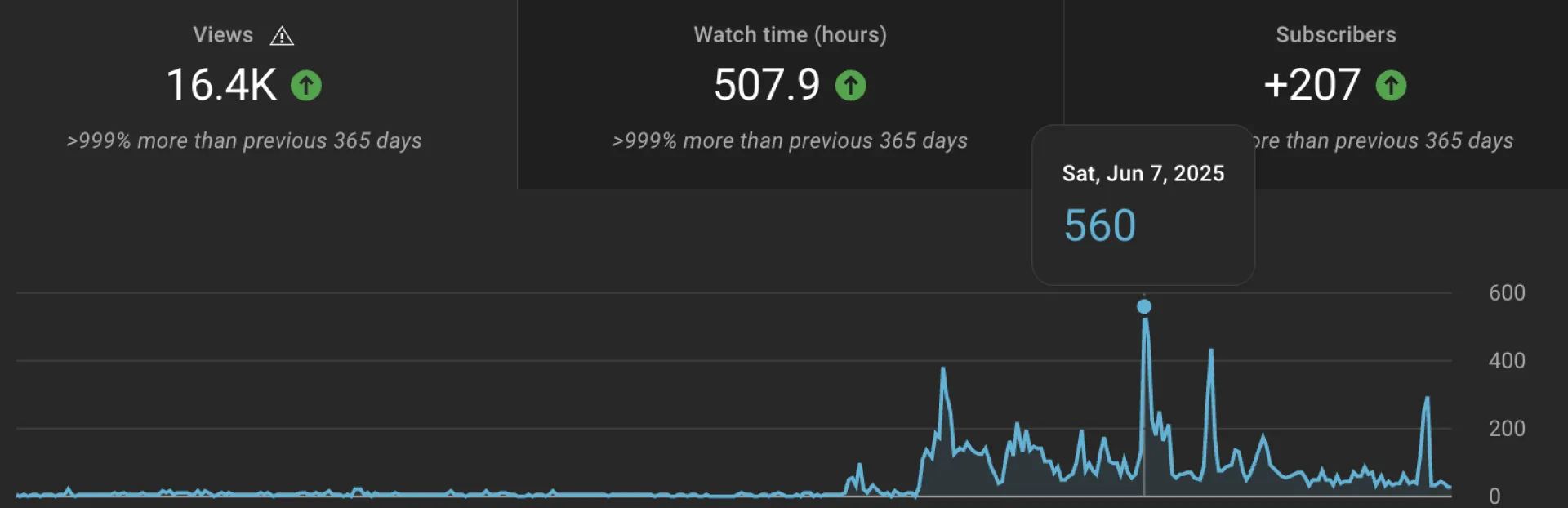
This is how I grew my YouTube channel in the last year, with a few explosions here and there, as you can see.
Tutorial video for the visual learners is here.
If you want to read the longer version, check the Medium article I wrote.
XI Labs just announced the Chroma Awards -- it's not exactly a job, but you can get rewarded if you are good
what it is: a Gen AI hackathon for AI in Film, Music, and Games
I revived my language learning platform, Llanai. I am documenting the building in public here.
Vision is to make language learning a social activity among AI agents, teachers, and students, while keeping the goal of fluency, finding jobs, and forming a network as the driving forces for its growth.
Let me know if you are a teacher or you know of anyone that is a teacher.